Category: AI Automation

  • The Silent Failure: Fix n8n’s Green Checkmark Lie

    The Silent Failure: Fix n8n’s Green Checkmark Lie

    Success Is Just a Label, Not a Guarantee

    Here’s the thing nobody tells you when you start building automations: n8n marks a workflow “success” as long as no node throws a hard error. It doesn’t check whether the lead actually landed in your CRM. It doesn’t check whether the Slack message actually sent. It checks whether every node technically finished executing without crashing. Those are two very different things.

    So you get this scenario: a webhook fires, an HTTP request node hits an API that’s rate-limited and returns an empty body instead of an error, a Set node maps nothing to nothing, and the run finishes green. Dashboard says success. Nobody gets an alert because there was nothing to alert on — from n8n’s perspective, nothing went wrong. The lead is just gone.

    Why This Happens (And Why Most Builders Never Catch It)

    Most silent failures come from one of three places: a node set to “Continue on Fail” that swallows an error instead of surfacing it, an API that returns a 200 status code with an empty or malformed payload, or a conditional (IF/Switch) node that quietly routes data down a dead-end branch you forgot existed. None of these trip n8n’s built-in error state, because technically nothing errored. The workflow just… stopped delivering.

    If you’re only checking the executions list when a client complains, you’re running blind. The fix isn’t “check more often.” It’s building a system that checks for you, continuously, at the data level instead of the status level.

    The Fix: A Global Error Workflow That Actually Watches Data

    1. Assign a dedicated Error Workflow to every automation

    n8n has a built-in setting for this: in Workflow Settings, you can assign an Error Workflow that triggers automatically whenever any node in the parent workflow throws. Build one error workflow, using the native Error Trigger node, and assign it to every client automation you run. This catches hard errors. It’s step one, not the whole fix.

    2. Log what each step actually returned, not just its status

    This is the part most people skip. After every critical node — the CRM push, the Slack alert, the email send — add a lightweight logging step that writes the actual output (not just “success/fail”) to a Google Sheet, Airtable base, or a Postgres table. Row includes: timestamp, workflow name, node name, and the raw response body. When a step returns an empty array or a null field where a CRM ID should be, you’ll see it in the log even though n8n never flagged an error. This is your source of truth, not the dashboard.

    3. Add validation checks, not just pass-through nodes

    After any API call that matters, insert an IF node that checks the response for the field you actually need — a CRM contact ID, a message timestamp, a confirmation string. If that field is missing or empty, route it into your error workflow manually using an Error Trigger via a Webhook call or a direct execution trigger. This turns a “quiet skip” into an actual flagged error, which is the whole point. n8n’s own docs on error handling patterns cover the node settings you’ll need for this.

    4. Alert yourself in real time, not on a schedule

    Your global error workflow’s final step should be a Slack (or SMS) alert that fires within seconds — not a daily digest. Daily digests are how silent failures survive for 24 hours before anyone notices. The message should include: which workflow failed, which node, and the raw payload if possible, so you can diagnose without opening n8n at all.

    5. Run a canary test weekly

    Once a month isn’t enough. Set up a scheduled trigger that injects a fake “test lead” into your critical automations every week and confirms it hits the CRM and fires the Slack alert end to end. If the canary doesn’t show up where it’s supposed to, you know before a real lead is on the line.

    What This Actually Catches

    Once this is running, the failures you catch aren’t dramatic crashes — they’re boring, quiet skips. A field that got renamed in a CRM update and broke a mapping. An API that started returning 200 with an empty body during a rate-limit window. A Slack token that expired silently. None of these throw hard errors. All of them used to be invisible. Now they’re a Slack ping in about ten seconds, which is the entire point of building this once instead of debugging it forever.

    This same blind-spot problem shows up anywhere you’re trusting a dashboard over the actual data — it’s the same root issue covered in the piece on hallucinations quietly ending a retainer: the system looked fine right up until someone checked the actual output. If you’re auditing your broader automation stack for this kind of gap, the workflow teardown on what to automate vs. rewrite is a good next stop, and if you’re running these for clients, this is exactly the kind of invisible failure that leads to the quiet retainer cuts nobody explains out loud.

    Do This Before You Trust Any Automation Again

    Build the global error workflow. Log actual output per step. Add validation IF nodes after anything that touches a lead. Alert in real time. Run a canary weekly. It takes an afternoon to set up once and it runs forever. The alternative is finding out a lead got dropped when a client asks why their pipeline looks thin — and by then, the green checkmark has already lied to you dozens of times.
  • AI Wrapper Moat Teardown: 4 Real Moats vs. Rentals

    AI Wrapper Moat Teardown: 4 Real Moats vs. Rentals

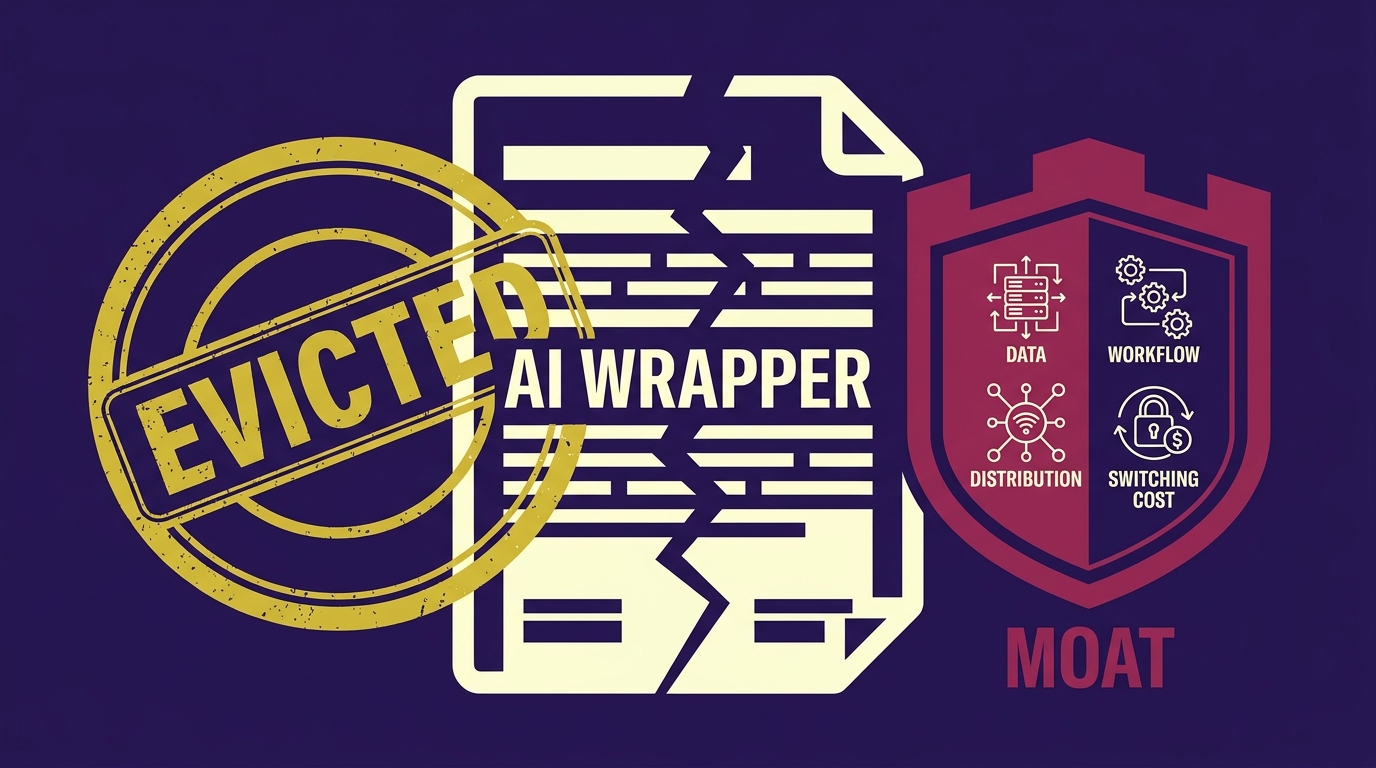
    I went through 50 AI tools built on top of GPT-4 and Claude. 43 of them had the same problem: the only thing standing between the user and the raw model was a prompt and a nice UI. That’s not a business. That’s a rental, and the landlord can evict you with one changelog entry.

    This isn’t theoretical. Model providers ship features that quietly kill wrapper products every few months — better memory, native file search, built-in agents, structured outputs. If your entire value prop was “we made ChatGPT easier to use for X,” you were always going to lose that bet eventually. The question isn’t if, it’s when.

    The 5-Minute Moat Audit

    Before you ship your next feature, run this test on your current product:

    If OpenAI or Anthropic shipped this exact feature natively and for free tomorrow, what happens to your business?

    • If the answer is “we’re fine, people still pay us” — you have a moat.
    • If the answer is “we’re done” — you built a rental, and you need to know that today, not after it happens.

    Run this question against every core feature, not just the flagship one. Most wrappers fail on the main feature and pass on nothing else, which means the whole product is one update away from irrelevant. Model providers publish their own deprecation and update cadence publicly — OpenAI’s deprecations page is worth bookmarking so you’re not caught off guard by what’s coming.

    The Four Real Moats

    Out of the 50 tools, the 7 that would survive a native feature drop all had one of these — usually more than one.

    1. Proprietary Data

    Not “we store your chat history.” Actual proprietary data that gets better the longer someone uses your product and that the model provider has no access to. A tool that learns a client’s brand voice across 200 pieces of content and stores that as structured data is defensible. A tool that just holds a system prompt in a database is not — that’s a config file wearing a moat costume.

    2. Workflow Lock-In

    This is the difference between a chatbox and a pipeline. If your product sits inside someone’s actual operations — pulling from their CRM, triggering their invoicing, syncing to their scheduling tool — ripping it out costs them real operational pain, not just a subscription cancellation. This is exactly why context engineering beats prompt engineering: the moat isn’t the prompt, it’s everything wired around the model that the model itself can’t replicate.

    3. Distribution and Relationship

    Do you own the customer relationship, or does the platform you’re built on own it? If a user would go find you again even if your product disappeared for a month, you have distribution. If they’d forget you existed within a week, you don’t. This is the same reason cold outbound is dying while relationship-first channels compound — see why inbound-led outbound is replacing cold email. Owning attention is a moat. Renting someone else’s inbox or someone else’s model is not.

    4. Switching Cost That Compounds

    Every month a customer uses your tool, does it get harder for them to leave, or does it stay exactly as easy to cancel as day one? Compounding switching cost looks like: historical data they’d lose, integrations they’d have to rebuild, a team that’s been trained on your interface. If canceling you is as easy in month twelve as it was in month one, you don’t have retention, you have a trial that never ends.

    Why This Matters More Than It Used To

    Clients are getting sharper about this too. A lot of them have already been burned by a thin wrapper that broke trust the first time it hallucinated something that mattered — that’s the exact failure mode in the hallucination that ended the retainer. If your only pitch is “AI, but easier,” you’re now competing against free native features AND against buyer skepticism at the same time. That’s a brutal combination for a rental.

    It also changes how you should price. A tool with zero moat has to price low because the perceived value is thin and comparable to the raw API cost. A tool with real lock-in and data can charge for the outcome, not the API call — this is the whole logic behind pricing an AI agent without bleeding margin. Moat and pricing power are the same conversation.

    What to Do This Week

    Don’t rebuild everything. Pick the one feature in your product that’s closest to “just the model with a UI on top” and do one of these:

    • Attach it to a workflow the user already can’t live without.
    • Start capturing structured data from every use that compounds over time.
    • Move the relationship somewhere you own — email, a portal, a community — not just inside a chat window.

    You don’t need all four moats. You need one that’s real, and you need to know honestly which one you’re missing. The tools that survive the next model update aren’t the ones with the best prompt. They’re the ones where the model was never the whole product.

  • How to Price an AI Agent Without Bleeding Margin

    How to Price an AI Agent Without Bleeding Margin

    I priced my first AI agent at $200/month. Six weeks later I was staring at an Anthropic invoice that was eating the retainer alive. One heavy user was running 40+ long-context calls a day. Meanwhile the light users churned because $200 felt steep for a tool they opened twice a week.

    The problem wasn’t the agent. The problem was that I copied SaaS pricing onto a product that has variable cost of goods sold. SaaS has near-zero marginal cost per seat. An AI agent has real, jagged, per-call cost. Treating them the same is how solo builders quietly go broke.

    Here’s the actual pricing model I run now, the math behind it, and the mistakes I’d tell any builder to skip.

    Why the three obvious models all fail

    Every builder tries one of three defaults. Each one breaks in a specific way.

    • Per-seat punishes your best customers. The team that adopts hardest and gets the most value is the team burning the most tokens — and you’re charging them the same as the team that logged in once.
    • Per-action feels like a taxi meter. Users stop using the agent because every click has a visible price tag. Adoption dies, and adoption is what makes the agent sticky.
    • Outcome-based sounds elegant on a pitch deck. Then you try to prove attribution. Was it your agent that closed the deal, or the SDR? Was it your agent that resolved the ticket, or the macro they already had? You will lose that argument every quarter at renewal.

    None of these are wrong in isolation. They’re wrong as the only lever.

    The hybrid model: base + credits + cap

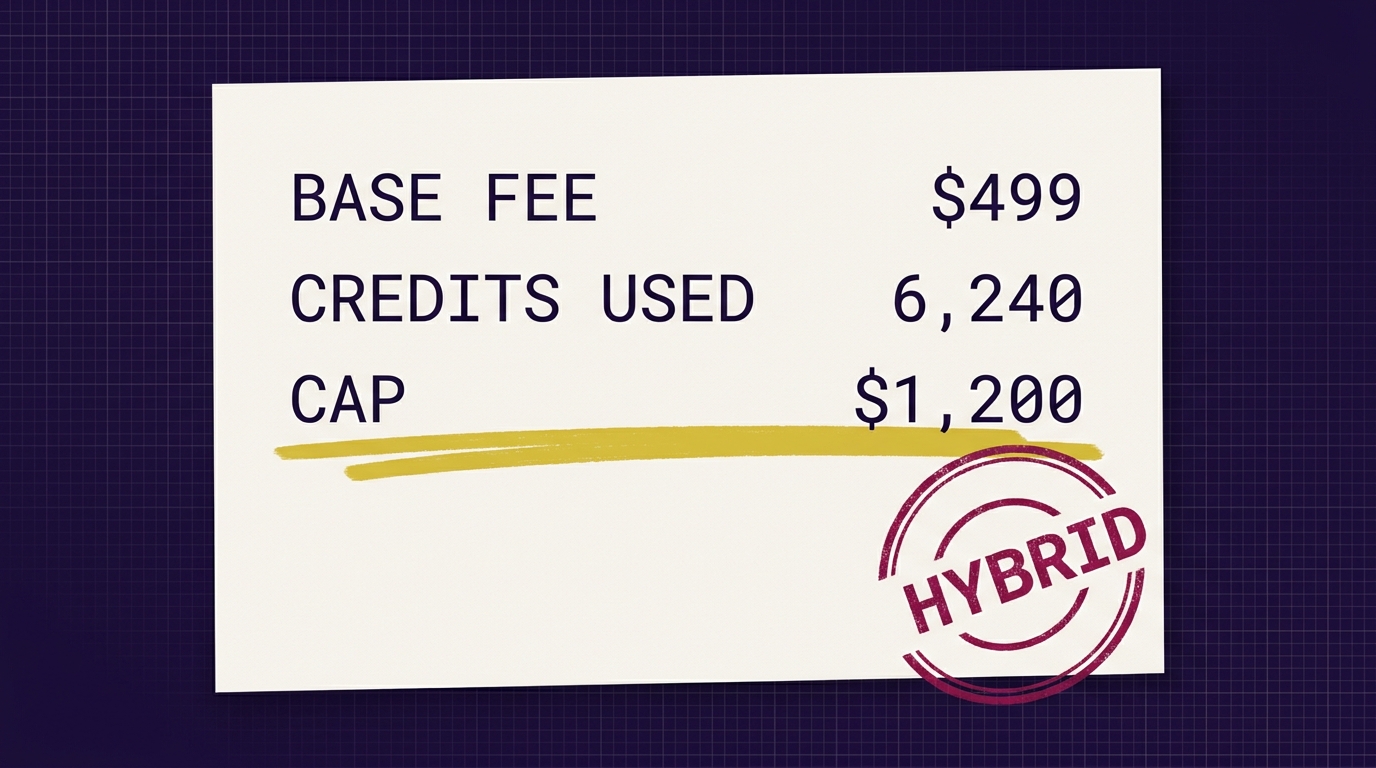
    The model that actually holds up: a base fee that covers your floor cost and support time, metered credits that scale with heavy usage, and a cap so nobody ever opens an invoice and panics.

    Here’s how I structure it:

    1. Base fee — covers your floor

    The base fee has to cover: your minimum monthly infra (vector DB, hosting, monitoring), a baseline token budget, and the human time you spend on that account (onboarding, check-ins, minor tweaks). For a solo builder shipping a mid-complexity agent, that floor is usually $150–$400/month depending on the vertical.

    Rule of thumb: base fee = (fixed infra per account) + (expected support hours × your hourly rate) + (baseline API cost × 1.5 markup).

    2. Credits — meter the heavy users

    Credits are how you stop subsidizing power users. Every action the agent takes consumes credits based on its real cost. A short classification call is 1 credit. A long RAG query with a 50k-token context window is 40 credits. A full agentic workflow with tool calls is 100+.

    Price credits at roughly 2.5–3x your blended API cost. That covers overhead, failed calls, retries, and the fact that model prices shift. Check OpenAI’s pricing page and Anthropic’s pricing page monthly — they move, and your margin moves with them.

    3. Cap — kill invoice anxiety

    The single biggest objection to usage-based pricing is fear of a runaway bill. Solve it with a hard cap. “Your bill will never exceed $X this month without your written approval.” When usage hits 80% of cap, the agent alerts them and offers to bump the tier or throttle non-critical actions.

    The cap is a sales tool as much as a safety mechanism. It’s what lets a nervous buyer sign.

    The tier structure I actually use

    Three tiers, named by usage profile, not by feature gates:

    • Starter — $199/mo base, 2,000 credits included, cap at $400. For solo operators or small teams testing the agent.
    • Operator — $499/mo base, 8,000 credits included, cap at $1,200. The sweet spot for most agencies and small ops teams.
    • Scale — $1,499/mo base, 30,000 credits, custom cap. For teams running the agent as a core workflow.

    Overage credits are sold in packs (e.g., 1,000 credits for $80). Unused credits roll over one month, then expire — this keeps you from carrying an infinite liability on your books.

    The mistakes that quietly kill margin

    • Not logging token usage per customer from day one. If you don’t know which accounts are profitable, you’re flying blind. I use a simple Postgres table that logs every call: customer_id, model, input_tokens, output_tokens, cost, timestamp. That’s it. You can build this in an hour.
    • Pricing off the sticker rate. Real cost includes retries, failed tool calls, embedding refreshes, and eval runs. Multiply your naive estimate by 1.4x.
    • Not raising prices when models get more expensive. Anthropic and OpenAI have both raised prices on premium tiers. Your contract needs a clause that lets you pass through model cost changes above a threshold (I use 15%).
    • Confusing agent pricing with support pricing. If the agent hallucinates and blows up trust, you’re doing free crisis work. I wrote about how that spirals in The Hallucination That Ended the Retainer — bake the trust layer into your base fee, not into free hours.

    What to do this week

    If you’re already selling an agent flat-rate and suspect you’re upside down, do this in order:

    1. Pull the last 30 days of API costs. Break down by customer.
    2. Find your top 20% of users by cost. Calculate their gross margin. If any are negative, you have your answer.
    3. Draft a hybrid tier sheet using the base + credits + cap structure above.
    4. Grandfather existing customers for 90 days. Move new customers onto the new pricing immediately.
    5. Add usage dashboards inside the product so customers see their own credit burn in real time. Transparency kills billing complaints.

    Pricing an AI agent isn’t a marketing problem — it’s a unit economics problem dressed up as one. The builders who survive 2026 are the ones who figured this out before their third overage invoice. And once pricing is solid, the next leak is usually in how the agent is positioned and sold. I’ve been working through that in The Stealth Retainer Cut and the AI slop workflow teardown — worth a read if you’re rebuilding the offer alongside the pricing.

    Stop copying SaaS pricing onto agents. They are not the same product.

  • The AI Voice Fingerprint Fix: Stop Sounding Like ChatGPT

    The AI Voice Fingerprint Fix: Stop Sounding Like ChatGPT

    Everyone can smell ChatGPT now. The em-dash intros. The tidy tricolons. The “here’s the thing” reveal. You paste write in my voice into the prompt, upload one post as an example, and it still comes back sounding like a LinkedIn intern in a blazer.

    The reason is simple: you’re asking the model to imitate a voice it has never actually studied. One-shot prompting is the problem. A single example isn’t enough signal for a model to reverse-engineer rhythm, cadence, or vocabulary. It falls back on the average of its training data — which is exactly the polished, generic voice you’re trying to escape.

    The fix is boring and it works. You build a voice fingerprint once, then reference it every time you draft.

    Why one-shot prompting fails

    Large language models are pattern matchers. Give them one post and ask them to generalize — they can’t. They latch onto surface features (topic, length) and miss the actual signature: sentence-length variance, punctuation habits, the words you refuse to use.

    This is also why the platforms are getting better at detecting it. I wrote about the mechanics of that in The AI Slop Tell — LinkedIn’s ranking model is now actively suppressing text that reads as generated. Sounding like yourself isn’t a vanity project anymore. It’s distribution.

    The deeper issue is context, not prompt cleverness. More on that in Context Engineering. If the model doesn’t have the raw material, no amount of “write casually” instruction saves you.

    The three-step voice fingerprint build

    Step 1: Collect your 10 best posts

    Not your 10 most recent. Your 10 best-performing, or the 10 you’re proudest of if you don’t have engagement data yet. You want posts that are unmistakably you — the ones where friends texted you saying “that sounded exactly like you talking.”

    Paste them into a single document. Plain text. No formatting, no metadata. Just the words.

    Step 2: Extract the fingerprint in a Claude Project

    Open Claude and create a new Project. Claude Projects let you attach persistent knowledge that gets referenced on every message inside that project — this is the mechanic that makes the whole thing work. (ChatGPT’s Projects and Custom GPTs work the same way; use whichever you pay for.)

    Upload your 10-post document. Then run this extraction prompt:

    “You are a linguistic analyst. Study the attached posts as a single corpus written by one person. Do not summarize what they’re about. Extract a voice fingerprint covering:

    • Average sentence length and the variance (do they mix 3-word lines with 25-word lines?)
    • Paragraph rhythm — how often do single-sentence paragraphs appear?
    • Signature punctuation habits (em-dashes, ellipses, line breaks, sentence fragments)
    • Recurring words or phrases — verbal tics
    • Words and phrase patterns notably absent (what would this writer never say?)
    • Openers: how do posts typically start? (question, declarative, story, contradiction?)
    • Closers: how do they land? (question, punchline, blunt statement?)
    • Emotional register — sarcastic, earnest, deadpan, hype?
    • Point of view — first person singular, plural, second person?

    Output as a structured document I can reuse as a system instruction. Include a ‘banned words’ list of terms the writer never uses but a generic LLM would default to.”

    The banned-words list is the sleeper feature. Mine includes delve, leverage, unlock, in today’s landscape, it’s not just X — it’s Y. Yours will be different. That list alone kills [70%] of the AI-tell.

    Step 3: Draft against the fingerprint, not from scratch

    Save the fingerprint document as Project knowledge. Now every draft prompt looks like this:

    “Using the voice fingerprint in project knowledge, draft a LinkedIn post about [topic]. Match sentence-length variance and opener style. Do not use any word on the banned list. Do not add a tidy three-part summary at the end.”

    The first draft still won’t be perfect. You’ll rewrite [30-50%] of it. But it stops sounding like everyone else’s ChatGPT and starts sounding like the one human in the feed.

    What actually changes

    Three things shift once you’re drafting against a fingerprint instead of a vibe:

    • Editing gets faster. You’re line-editing, not rewriting from scratch. That’s the whole reason you brought AI into the loop.
    • Consistency across surfaces. The same fingerprint powers LinkedIn posts, email replies, and long-form outlines. Your voice stops drifting depending on which tool you opened.
    • You can hand it off. A ghostwriter, VA, or a second AI agent can now produce drafts that pass your smell test. This is the difference between AI-assisted writing and an actual content system. I broke down what should be automated vs. rewritten in the AI slop workflow teardown.

    Maintenance: refresh it every 90 days

    Your voice drifts. New obsessions, new phrases, old tics you’ve retired. Every quarter, add your last [10] best posts to the corpus and re-run the extraction. Diff the new fingerprint against the old one. That’s also a useful mirror — you’ll notice what you’ve grown out of.

    Anthropic has published official guidance on multi-shot prompting that reinforces the same principle: more high-quality examples in context produce dramatically better stylistic mimicry than instructions alone. The fingerprint document is just a compressed, structured version of that.

    The honest limit

    This won’t turn AI into you. It turns AI into a competent first-draft version of you. The taste, the point of view, the risk in what you’re saying — that’s still your job. But if the friction of getting a decent first draft is what’s stopping you from publishing, the fingerprint fixes it.

    Build it once. Use it every day. Stop sounding like the intern in the blazer.

  • The Hallucination That Ended the Retainer

    The Hallucination That Ended the Retainer

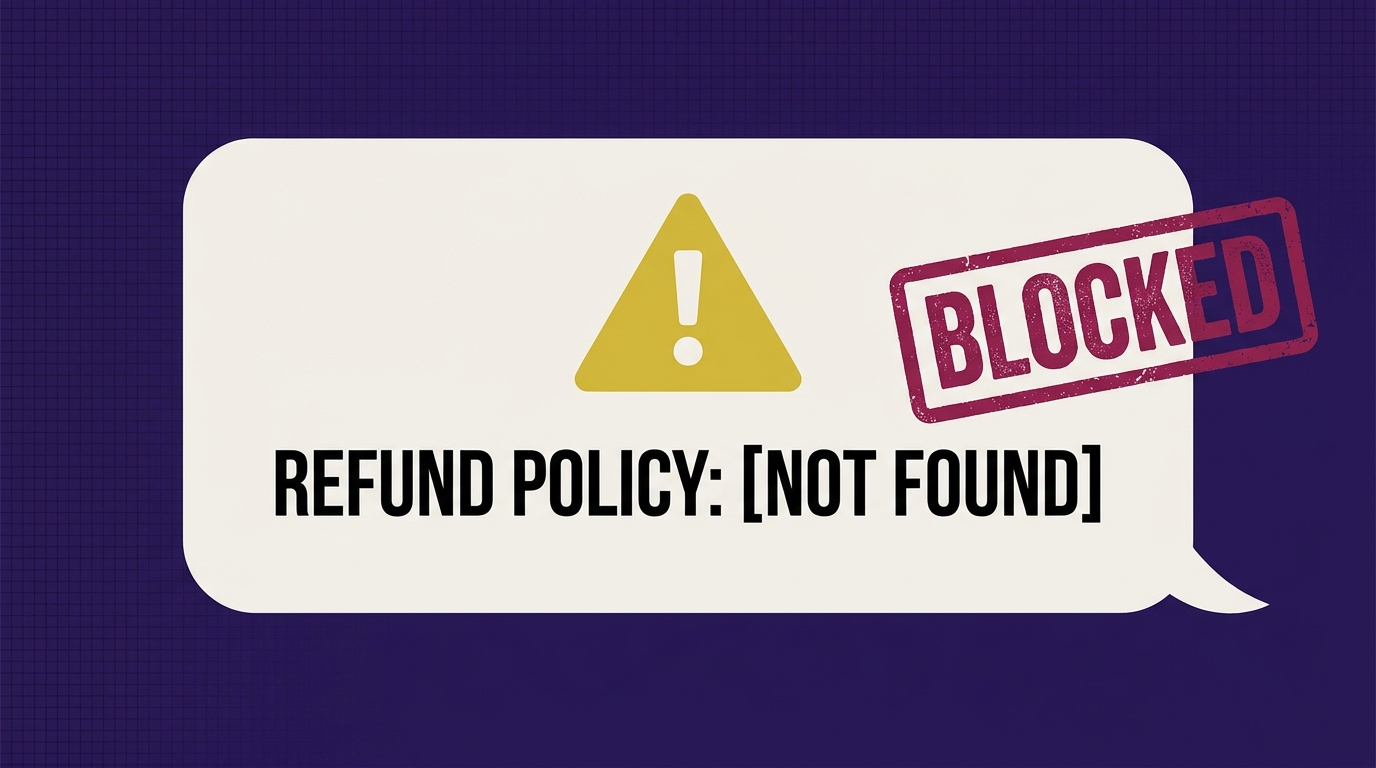
    The night an agent invented a refund policy

    Tuesday, 11:04pm. A customer emailed the support inbox asking about a partial refund. My shiny new Claude-powered agent — wired directly into the client’s help desk — answered in 40 seconds. Confident. Warm. Professional.

    It also invented a 30-day money-back guarantee that did not exist.

    By 8am the screenshot was circulating in a founder group chat I wasn’t in. By 10am I was on a call I did not want to be on. The retainer ended that Friday.

    The setup was fine on paper: inbox in, LLM in the middle, draft or auto-send out. What was missing was the boring part — the trust layer. This article is that layer, spelled out, so you don’t repeat my Tuesday.

    Why raw LLM agents fail in customer-facing flows

    LLMs are next-token predictors dressed up as coworkers. When a customer asks something the docs don’t cover, the model doesn’t say I don’t know — it produces the most statistically plausible answer. Plausible is not true. Anthropic is fairly blunt about this in their own guidance on reducing hallucinations: give the model grounded context, force it to cite, and let it refuse.

    The mistake almost every founder makes (I made it) is treating the model as the product. The model is a component. The system around the model is the product. If you’ve read our take on context engineering, this is the same argument applied to customer support: prompts don’t save you, structure does.

    The three-layer trust setup I run now

    This runs in n8n, but the pattern works in any orchestrator (Make, Zapier, LangGraph, a Python script — doesn’t matter). Three checkpoints. Each one makes the agent “dumber” and the business safer.

    1. Retrieval first — no memory answers allowed

    The agent is not allowed to answer from its own weights. Every reply must be grounded in a vetted document set.

    • Store approved docs (refund policy, shipping, warranty, pricing tiers, SLAs) in a vector DB. I use Pinecone or Supabase pgvector — pick one.
    • On every inbound message, run an embedding search against that store. Return the top 3–5 chunks.
    • The system prompt says explicitly: You may only use facts present in the retrieved context. If the answer is not there, respond with the escalation phrase.
    • Version the doc set. When legal updates the refund policy, the old chunks get purged, not layered on top.

    This alone would have killed my Tuesday incident. There was no refund policy chunk to retrieve, so there was nothing to quote.

    2. Citation check — no source pointer, no send

    After the model drafts a reply, a second node inspects it. This is the boring gate that saves the retainer.

    • Force the model to output structured JSON: { "reply": "...", "citations": ["doc_id_12", "doc_id_34"] }.
    • A validator node checks: is the citations array non-empty? Do those IDs actually exist in the retrieved chunks from step 1?
    • If either check fails, the reply is discarded and the ticket is routed to a human. It never reaches the customer.

    A useful mental model: the agent is a junior rep who is only allowed to speak while holding the policy binder open to the exact page. No binder page? Stay quiet.

    3. Escalation node — sensitive topics route to a human

    Even with retrieval and citations, some categories should never be fully automated. I run a lightweight classifier (a cheap model call is fine) that tags every inbound message. If the tag hits a sensitive list, it bypasses auto-send.

    • Refunds — always human.
    • Pricing changes or custom quotes — always human.
    • Policy interpretation (“does my case count as…”) — always human.
    • Legal, medical, safety — obviously human.
    • Anything with an angry sentiment score — human, with the draft attached as a starting point.

    The escalation node pings me in Telegram with the draft, the retrieved sources, and one-tap approve/reject buttons. If I approve, it sends. If I don’t touch it in 10 minutes, it defaults to “draft only, notify human agent.”

    What the agent actually handles now

    After the trust layer, the agent auto-sends maybe [40-60]% of tickets: order status, tracking, hours, product specs, integration questions, doc lookups. The rest gets drafted-for-human. Response times improved. Complaints dropped to zero on the automated bucket because it now refuses gracefully instead of hallucinating.

    The tradeoff is real: the demo is less impressive. “Look, our agent handles 95% of tickets end to end!” sounds better than “our agent handles half, drafts the rest, and escalates anything with money attached.” But one is a magic trick and the other is a business.

    The uncomfortable lesson for founders shipping AI

    The founders getting burned right now are the ones who watched a Twitter demo, spun up an agent in a weekend, and pointed it at a live inbox. I was one of them. The gap between “works in the demo” and “safe in production” is entirely the trust layer — retrieval, citations, escalation, logging, evals.

    This is the same reason a lot of agency AI work is quietly being pulled in-house and margins are compressing — clients can tell the difference between a wrapper and a system. If that dynamic is new to you, we wrote about it in the stealth retainer cut, and the operational side in the AI slop workflow teardown.

    The checklist before any agent talks to a real human

    • Vetted doc set in a vector store, versioned.
    • System prompt that forbids answering without retrieved context.
    • Structured output with mandatory citations.
    • Validator node that kills uncited replies.
    • Classifier that routes sensitive topics to human review.
    • Telegram/Slack approval loop with a sensible timeout default.
    • Full logging: every message, every retrieval, every send. Review weekly.

    The agent got dumber on paper. The business got a lot safer. Boring is the entire job.

  • The Stealth Retainer Cut: Why Clients Quietly Slash Fees

    The Stealth Retainer Cut: Why Clients Quietly Slash Fees

    Your best client isn’t going to fire you. They’re going to cut you from [$25k] to [$15k] and call it “budget.”

    What actually happened: their junior marketer discovered Claude. Their ops lead built a Zap over the weekend. The deliverables you’ve been charging for — the newsletter, the reporting doc, the ad variants, the SEO briefs — suddenly feel optional. Not bad. Optional.

    The relationship survives. The economics don’t. And because there’s no formal churn event, you don’t get a chance to fight for it. You just watch MRR drift down one “scope conversation” at a time.

    This is the stealth retainer cut. Here’s how to see it coming and what to actually do about it.

    Why this is happening in 2026, not 2022

    Two years ago, the ceiling on in-house AI was “we tried ChatGPT and the outputs were mid.” That ceiling is gone. Claude 3.5+ writes usable long-form. GPT-4o handles multimodal. A non-engineer can wire up n8n or Make in an afternoon. Anthropic even publishes their own prompt engineering guides aimed at business users, not devs.

    Which means the marketing coordinator who used to send you a Loom asking for “3 more hooks” now just… does it. Badly, sometimes. But good enough that your $8k content line item becomes a $2k “review and polish” line item.

    The commodity layer of agency work is being absorbed in-house. Fast.

    The signal you’re about to get cut

    You almost never get a heads-up. But there are tells:

    • They ask for the raw prompts you use, or “how we structured the brief.”
    • A new hire on their side has “AI” or “automation” in the title.
    • Feedback shifts from strategic to production (“can you match this tone better?”).
    • Meetings get shorter. Slack goes quieter.
    • They start asking what specifically is included in the retainer.

    That last one is the loudest siren. When a happy client starts itemizing, they’re building the internal case to unbundle you.

    Stop selling deliverables. Start selling the thing they can’t hire for.

    Their in-house team can now produce the artifact. What they still can’t do is orchestrate. Their junior can prompt Claude. They can’t design a workflow that ingests CRM data, routes through a research agent, applies brand voice, checks against past posts, and outputs into their CMS with QA gates.

    That’s the work you keep. Everything downstream of it is the deliverable you used to charge for — and now you give away as a byproduct.

    The four-step reprice

    1. Audit what their team is already trying to automate

    Ask directly: “What has your team built with AI in the last 90 days?” You’ll get a list of half-finished Zaps, a Claude Project no one maintains, a Notion AI setup someone abandoned. That list is your scope map. It tells you exactly where they’ve hit the ceiling of what a non-specialist can build.

    2. Build the workflow their junior can’t

    Real orchestration, not a Zap. Multi-step, stateful, with memory and evals. n8n or a custom Python service, not a linear trigger-action chain. The test: could a smart intern rebuild it in a weekend? If yes, you haven’t gone deep enough. For a framework on which internal processes are worth rewriting vs. just automating, this teardown is a good starting point: AI Slop Workflow Teardown: What to Automate, What to Rewrite.

    3. Own the tooling, the training, and the strategic review

    Three lock-in layers, in order of stickiness:

    • Tooling: the workflows live in your infra or under your account. You maintain them.
    • Training: you teach their team how to operate what you built. Monthly working sessions.
    • Strategic review: quarterly, you audit what’s working, what to kill, what to build next.

    The output isn’t a deck. It’s a system they depend on and a person (you) who understands it end-to-end. A huge part of this is voice and context — the pieces AI can’t guess. If they’re going to run content through your workflow, your context engineering and voice prompt become the moat.

    4. Reprice as a strategic retainer, not a production retainer

    Rewrite the SOW. New line items:

    • AI systems ownership: [$X]/mo
    • Team enablement + training: [$X]/mo
    • Strategic review + roadmap: [$X]/quarter
    • Production output: included, not itemized

    You’ll usually land at the same or higher number, but the client can’t unbundle it. They can’t fire the “content person” and keep you. You are the operating system, not a supplier feeding it.

    What to do this week if you feel the drift

    Don’t wait for the budget conversation. Book a working session framed as: “Let’s map what your team is building with AI so I can plug into it, not duplicate it.” That single meeting reframes you from vendor to systems partner before the CFO ever gets involved.

    Then go home and rebuild your offer.

    The agencies that survive the next 18 months aren’t the ones producing the best deliverables. They’re the ones whose systems the client can’t operate without.

  • AI Slop Workflow Teardown: What to Automate, What to Rewrite

    AI Slop Workflow Teardown: What to Automate, What to Rewrite

    Most founders I talk to have the same workflow: open ChatGPT, paste a rough idea, ask for a LinkedIn post, tweak two words, hit publish. Then they wonder why reach is falling off a cliff.

    The problem isn’t AI. The problem is which parts you’re outsourcing. Here’s the actual teardown of my stack — what the model writes, what I rewrite by hand, and the specific tells I strip before anything goes live.

    The AI tells LinkedIn (and readers) are pattern-matching on

    You don’t need a leaked memo to know the platform is dampening obvious AI writing. Users are muting it themselves. Skim your own feed and count how many posts you scrolled past in under a second. They almost all share the same fingerprints:

    • Contrast-construction hooks: “It’s not X. It’s Y.” “Not a bug. A feature.”
    • Em dash cascades: three em dashes in four sentences.
    • Three-word sentences stacked like poetry. On their own line. For emphasis.
    • Corporate opener phrases: “In today’s landscape”, “In an era where”, “Let’s dive in.”
    • Closers that summarize the obvious: “And that’s the truth.” “That’s the whole game.”
    • Symmetry: every paragraph the same length, every sentence the same rhythm.

    None of these are wrong on their own. Stacked together, they’re a signature. If your last three posts hit four or more of these, you’re writing in Default GPT Voice — and that voice is now a demotion signal, both algorithmically and socially. I broke down the underlying reach mechanics in The AI Slop Tell.

    The split: what AI does, what I do

    My rule is simple. Automate the boring part. Defend the voice. Here’s exactly where the line sits.

    What Claude/ChatGPT does (the boring part)

    • Research pulls: summarize a 40-minute podcast, pull three stats from a report, list every objection in a Reddit thread.
    • Outlines: take a raw voice memo and turn it into a 5-beat structure.
    • Rough first drafts of long-form (blogs, newsletters) where I’m going to rewrite 60%+ anyway.
    • Reformatting: turning a blog into a carousel outline, a reel script into a LinkedIn post skeleton.
    • Fact-checking my claims against sources I paste in.

    What I do by hand (the voice part)

    • Every hook. Written out loud, into a voice memo, then typed.
    • Every personal story. No model has the specific texture of what actually happened in my Tuesday.
    • Every opinion or take. If it’s my POV, it comes from my brain.
    • The last pass. I read the post out loud. If it sounds like a robot pitching a TED talk, I burn it and start over.

    The actual n8n + Claude pipeline

    Here’s the workflow I run. It’s boring on purpose.

    1. Capture (Otter or Apple Voice Memos): I talk for 3-8 minutes about a specific thing that happened this week. Not a topic. A moment.
    2. Transcribe + tag (n8n webhook to Claude): the transcript goes into a Claude call with a system prompt that pulls out (a) the one-line insight, (b) the story beats, (c) any specific numbers or names.
    3. Outline only: Claude returns a 5-line outline. Not a draft. I explicitly forbid a full draft at this stage — that’s the trap most founders fall into.
    4. Write the hook by hand in a plain Notion doc. No AI open.
    5. Write the body by hand, using the outline as a checklist. Voice memos open next to me for exact phrasing.
    6. Slop check pass: a second Claude call, but only to detect, not to rewrite. Prompt: “List every em dash, every it’s-not-X-it’s-Y construction, every three-word stacked sentence, every generic opener. Do not rewrite. Just flag.”
    7. I fix each flag manually.
    8. Dog test: read the post out loud. If my tone shifts into fake-authoritative, it goes back to step 4.

    The context I feed the model matters more than the prompt itself. If you want to understand why the same prompt produces slop for you and gold for someone else, read Context Engineering. And if your voice prompt is still generic, Voice Prompt Is the Moat has the exact structure I use.

    The slop detector prompt (steal this)

    Paste your draft into Claude or GPT with this. Do not let it rewrite.

    • Flag every em dash and suggest whether it should be a period, comma, or colon.
    • Flag every “it’s not X, it’s Y” construction.
    • Flag every sentence under 4 words used for emphasis.
    • Flag any opener that could appear in a McKinsey report.
    • Flag any closer that summarizes what the post just said.
    • Flag any paragraph where every sentence is the same length.
    • Return a numbered list. Do not rewrite anything.

    The reason “do not rewrite” is bolded in my actual prompt: the second you let the model touch the fix, it puts the slop back in a new outfit. Anthropic’s own prompt engineering docs are clear that constraint prompts (“do X, do not do Y”) outperform open-ended ones — use that.

    What actually moved for me

    When I switched from “AI writes, I edit” to “AI researches, I write, AI audits,” a few things changed. Comments got longer. DMs shifted from “great post” to actual questions about the specific thing I wrote about. Reach on hand-written posts ran roughly [X]x my AI-drafted ones over a [30-day] window.

    Not because AI is bad. Because the part I was outsourcing — the voice — was the only part anyone was reading for.

    The one-line version

    Automate research, outlines, reformatting, and detection. Defend hooks, stories, opinions, and the final read-aloud. If a post could’ve been written by any founder in your category, it will perform like a post written by any founder in your category. If you want to go further on sequencing what to automate first, Automate In This Order lays out the full stack order.

    Read your next post out loud. If your dog looks concerned, rewrite it.

  • Context Engineering: Why Your Prompts Aren’t the Problem

    Context Engineering: Why Your Prompts Aren’t the Problem

    You keep rewriting the prompt. Adding adjectives. Adding rules. Adding act as a world-class expert who… Still garbage.

    The model isn’t the problem. The model has amnesia, and you keep handing it a sticky note and expecting a strategy.

    Here’s what the operators actually running AI-powered businesses do differently: they stopped writing clever prompts months ago. They write context. The prompt becomes one boring line at the end of a much bigger system.

    Prompt engineering vs. context engineering

    Prompt engineering assumes the model is smart and just needs the right incantation. Context engineering assumes the model is a very fast intern with no memory of your business, your customers, or what you decided last Tuesday — and your job is to give it a briefing packet before it opens its mouth.

    Anthropic’s own guidance on building with Claude keeps pointing at the same thing: examples, structured references, and explicit constraints beat clever wording every time. The RAG pattern exists because retrieval consistently outperforms bigger prompts.

    So stop optimizing sentences. Start engineering the room the model walks into.

    The three documents that do 90% of the work

    Every agent or workflow I run in production is backed by three files. Not fifty. Three. If you’re missing one, output quality collapses in predictable ways.

    1. The workflow doc — what and why

    This is a plain-language explanation of the job. Not the prompt. The job.

    • What is this agent doing in the business?
    • Who is the end reader or user?
    • What is a successful output? What is an unacceptable one?
    • What are the inputs it will receive, in what format?
    • What happens downstream — who or what consumes the output?

    Example: for a LinkedIn drafting agent, my workflow doc says the agent is writing first drafts for a founder to edit, not final posts. That single sentence changes everything about how it writes — it stops trying to be polished and starts leaving room for the human.

    2. The voice / decision doc — how it should think

    This is where most people go wrong. They put voice inside the prompt (“write in a punchy, direct tone…”) and wonder why every post sounds like a LinkedIn parody account.

    Voice is a document, not an adjective. Mine includes:

    • 10-20 real examples of accepted output, with notes on why each works
    • 5-10 examples of rejected output, with notes on why they failed
    • A list of banned phrases (“in today’s landscape,” “unlock,” “game-changer”)
    • Explicit decision rules: when to refuse, when to ask, when to just ship

    I wrote more on this in Voice Prompt Is the Moat — the short version is that your voice doc is the thing competitors can’t copy, because it’s built from your actual receipts.

    3. The retrieval layer — the actual receipts

    This is the part solo founders skip and then blame the model. The retrieval layer is the searchable memory the agent pulls from at runtime: your past posts, your product docs, your customer notes, your pricing, your positioning, your case notes.

    You don’t need a vector database on day one. Start dumber:

    • A single Google Doc or Notion page the agent gets fed as context
    • A structured JSON file with your positioning, offers, and ICP
    • A folder of markdown files the workflow reads before running

    When you outgrow that, move to a real retrieval setup — Claude’s tool use, an n8n node that queries a database, or a lightweight vector store like Supabase or Pinecone. But the pattern is the same: the agent doesn’t guess, it looks things up.

    What the prompt actually looks like now

    Once you have those three documents wired in, the prompt gets boring. Here’s a real one I use for a content agent:

    “Using the workflow doc, voice doc, and the three most relevant past posts from retrieval, draft one LinkedIn post about the topic below. Follow the voice doc’s structure rules. Output only the post.”

    That’s it. No act as. No you are a world-class. No emojis begging the model to try harder. The context does the work; the prompt just points.

    How to build this in a week

    You don’t need to rebuild your stack. You need to spend [X] hours on documents you should already have.

    1. Day 1-2: Write the workflow doc for your single most-used AI task. One page.
    2. Day 3-4: Build the voice/decision doc. Paste 15 real examples. Annotate them.
    3. Day 5: Dump your positioning, offers, and 20 best past outputs into a single retrieval file.
    4. Day 6: Rewrite your prompt as one boring sentence that references the three docs.
    5. Day 7: Run 10 outputs. Compare to your old prompt-only setup. Update the voice doc based on what still misses.

    If you’re doing this inside n8n or a Claude project, load the three docs as system context or as retrieved files at the top of the run. If you’re doing it in the Claude web app, use Projects and paste them into the knowledge section.

    Why this is the actual moat

    Anyone can copy your prompt. Nobody can copy your voice doc, your decision rules, or your 200 annotated past outputs. That’s proprietary. That compounds. That’s the difference between a founder playing with AI and a founder running a business on it.

    Before you automate anything new, get this layer right — I wrote about the order to build things in Automate In This Order, and context engineering sits underneath every workflow on that list. Skip it and you’ll end up debugging the same failures I did in the 4 n8n + Claude workflows that died in production.

    Prompt engineers optimize sentences. Context engineers ship businesses. Pick one.

  • Signal-Based Outbound: The System That Beats Cold Email

    Signal-Based Outbound: The System That Beats Cold Email

    Cold email reply rates are collapsing. The last public benchmark I trust — Smartlead’s aggregate data — puts averages around 3-4%. Meanwhile a small group of operators are pulling 30-40% reply rates on the same buyer personas.

    They’re not sending more. They’re not writing better subject lines. They’re not paying for a fancier sequencer.

    They’re watching. Then they show up at the exact moment the prospect gave them permission to show up.

    This is signal-based outbound. Here’s the actual system — the accounts, the signals, the stack, the message templates.

    Why cold email died (and what killed it)

    Three things happened at once:

    • Inboxes filled up. Every SDR tool ships with the same sequences.
    • AI made “personalization at scale” fake. Buyers can smell a Clay-generated first line from orbit.
    • Google and Microsoft tightened sender rules in 2024. Volume senders get filtered before humans see them.

    Spray-and-pray isn’t just less effective. It’s structurally broken. You are paying a volume tax to reach fewer people than you did two years ago.

    The 200-account rule

    Stop starting with a list of 5,000. Start with 200 accounts you actually want as customers.

    Not “companies that match a firmographic filter.” 200 accounts where, if they signed next month, you’d be genuinely excited. This forces a real ICP instead of a scraped list.

    For each account, identify 1-3 people who would actually be the buyer or champion. That’s your watchlist. Somewhere between 200 and 600 humans total.

    You cannot watch 5,000 humans. You can watch 400.

    The signals that actually predict replies

    Not all signals are equal. In order of reply rate, from what I’ve seen shipping this:

    • Public pain post. Prospect complains about a problem you solve. Highest intent signal on earth.
    • Job change / promotion. New role = new budget + something to prove. 60-90 day window.
    • Competitor comment. They engaged with your competitor’s post — they’re in-market and educating themselves.
    • Hiring signal. They just posted a JD for the role that owns your problem.
    • Podcast / webinar appearance. They said something on record you can reference specifically.
    • Funding / product launch. Weakest of the six — everyone else is pitching on this too.

    The stack (what I actually run)

    You don’t need enterprise tooling. Here’s the minimum:

    • Watchlist storage: Airtable or Notion. One row per prospect, columns for role, company, LinkedIn URL, last signal, last touch.
    • Signal capture: A mix of LinkedIn Sales Navigator saved searches, Trigify or Common Room for social listening, and Google Alerts for the low-tech signals.
    • Job change tracking: Sales Nav alerts or Champify if you have budget.
    • Enrichment: Clay, but only after a signal fires — not upfront on 5,000 people.
    • Orchestration: n8n webhook that fires when a signal is detected, pushes to a Claude prompt for message draft, drops the draft into a Slack channel for human review.
    • Send: Manually from your real inbox or LinkedIn. Do not automate the send. That’s the whole point.

    The human-in-the-loop step is non-negotiable. If you automate the send, you’ve just rebuilt spray-and-pray with extra steps. I wrote about why that pattern fails in the 4 n8n + Claude workflows that died in production — the automated outbound one was the worst offender.

    The message formula

    Three sentences. That’s it.

    1. Reference the signal specifically. Quote it. Name the post, the promotion, the podcast episode.
    2. Connect it to a specific outcome you’ve delivered. Not a pitch — a bridge.
    3. Ask one small question. Not a meeting. A question they can answer in one line.

    Example: “Saw your post about your team drowning in manual QA on Salesforce data — the ‘we’re basically a human diff tool’ line was too real. We built a workflow for [similar company type] that catches those diffs before they hit the CRM. Worth a look, or is this a ‘next quarter’ problem?”

    No “hope this finds you well.” No calendar link. No 400-word case study.

    The cadence that doesn’t burn the list

    Signal-based outbound is not a sequence. It’s a trigger.

    • Signal fires → message goes out within 48 hours.
    • No reply? One follow-up 5-7 days later with a new angle, not a bump.
    • Still no reply? Back to the watchlist. Wait for the next signal.

    The prospect can stay on your watchlist for a year. You are not “nurturing” them with sequences. You are waiting for them to tell you when it’s time.

    The content flywheel that makes this 3x better

    Here’s what nobody talks about: signal-based outbound works 10x harder when the prospect has already seen your name.

    If they’ve been reading your LinkedIn posts for two months and then you show up referencing their pain point, the reply rate goes vertical. Outbound and content aren’t separate motions — they’re the same motion. This is exactly why content is the new SDR, and why founder-led distribution beats an SDR team on cost per meeting.

    If you’re not posting yet, start with the founder-led LinkedIn playbook. Warm the audience your outbound is about to hit.

    What to do this week

    • Build your 200. Actual names, actual companies.
    • Set up 3 signal sources. Sales Nav alerts, Google Alerts, one social listening tool.
    • Write one message using the three-sentence formula. Send it to one person today.
    • Track reply rate honestly. Don’t grade it against 3.4%. Grade it against your last 30 cold sends.

    The operators winning right now aren’t smarter. They’re just listening. The message writes itself when the timing does the heavy lifting.

  • Voice Prompt Is the Moat: How to De-AI Your Writing

    Voice Prompt Is the Moat: How to De-AI Your Writing

    LinkedIn just declared war on your writing style. If you draft posts in Claude or GPT with a stock prompt, you already lost round one.

    You know the tells. The em dashes. The “it’s not X, it’s Y” setup. The tidy three-bullet insight. The smooth transition sentence nobody actually says out loud. That’s not writing. That’s a fingerprint. And the algorithm — plus every human who’s read 400 posts this week — is learning to spot it in under a second.

    The fix isn’t better prompt engineering. It’s giving the model something it can’t invent: you, unpolished. Below is the exact system I run before any post ships.

    Why generic AI prompts kill your reach

    Every large model was trained on the same public internet, then reinforced on the same politeness rubric. Ask any of them to “write an engaging LinkedIn post about X” and you get a regression toward the mean of every business blog since 2019. Anthropic even documents this tendency in Claude’s prompt engineering guide — the model defaults to the most statistically likely phrasing unless you actively push it somewhere else.

    Meanwhile the feed rewards the opposite. LinkedIn’s own creator guidance now openly discourages low-effort AI content, and the ranking model quietly demotes anything that reads like a template. The platform isn’t hunting AI. It’s hunting sameness. Your generic prompt is producing exactly that.

    The voice prompt is the moat

    Anyone can subscribe to Claude. Nobody else has 20 of your raw voice notes. That’s the actual defensible input.

    Here’s what I do:

    • Record 20 voice notes. Not scripts. Not “content.” Actual half-finished thoughts I sent to a friend or dictated walking the dog. Two to four minutes each.
    • Transcribe raw. I use Whisper via the OpenAI API or just Otter. Do not clean up the transcripts. The “ums,” the tangents, the weird word choices — that’s the training data.
    • Build one voice document. One big file. Twenty transcripts, back to back. That’s your voice corpus.
    • Prompt for rhythm, not polish. The instruction I give Claude is literally: “Match the rhythm, cadence, and word choices in the attached transcripts. Keep sentences uneven. Keep the weird phrasing. Do not smooth anything out. Do not add em dashes. Do not use ‘it’s not X, it’s Y.’ Do not summarize with three bullets unless I ask.”

    My drafts got uglier. The reach went up. Because the model finally stopped writing like a marketer and started writing like the person the audience already follows.

    The actual prompt I use in Claude

    Paste this into a Claude Project (or a system prompt in the API) with your voice corpus attached as a knowledge file:

    System: You are drafting short-form posts in my voice. The attached file is 20 of my raw voice-note transcripts. Study them for: sentence length variance, contractions, sentence fragments, filler words I actually use, topics I return to, and the way I open and close thoughts. Rules: (1) No em dashes. (2) No “it’s not X, it’s Y” constructions. (3) No smooth transition sentences. (4) Vary sentence length — some fragments, some long. (5) If you’d normally write a three-bullet insight, write it as one messy paragraph instead. (6) When in doubt, pick the uglier phrasing.

    User: Draft a LinkedIn post about [topic]. Give me three versions, each under 180 words.

    That’s it. No “engaging.” No “hook.” No “CTA.” The model already knows what those mean generically — that’s the problem. You’re overriding the defaults with your fingerprint.

    Where this fits in the bigger stack

    This is one piece of a persistent-context setup. If you’re constantly re-pasting who you are and what you sound like into every new chat, you’re paying what I’ve called the 91-hour context tax. Store the voice corpus once, reference it everywhere — Claude Projects, a custom GPT, an n8n workflow that pulls it into every drafting job.

    Voice is also the reason personal accounts are eating brand pages alive right now. I broke down the mechanics in why founder-led accounts dominate organic reach in 2026 — the short version is that distinctiveness compounds and generic content decays. Your voice prompt is the input that makes the whole flywheel actually defensible.

    And if you’re wondering where AI drafting even belongs in your workflow before you go automate everything, I’d start with this order of operations. Voice capture is step one. Not scheduling. Not scraping. Not agents. Capture first.

    The test before you ship

    Before any post goes out, I read it out loud. If a sentence feels like something I’d never actually say to a friend at a bar, it gets cut or rewritten. That’s the whole QA process. It takes 90 seconds. It catches the last 10% of AI residue that even a good voice prompt lets slip through.

    Stop prompting for “engaging LinkedIn post.” Start prompting for you. The moat isn’t the model. The moat is the 20 voice notes only you can record.