Category: AI Automation

  • I Fired Myself as a Writer for 30 Days (The Fix)

    I Fired Myself as a Writer for 30 Days (The Fix)

    Every founder I talk to has the same block. They know posting would help the business. They open a blank doc, stare at it, close the laptop. Nothing gets published for another week.

    The block was never a writing problem. It was a starting problem. So for 30 days I fired myself as the writer and hired myself as the talker. Here’s the exact system, no theory, just the pipeline.

    The Core Idea: Talk First, Edit Second

    Writing from a blank page asks your brain to do two things at once: generate the idea and shape the sentence. That’s why the cursor blinks. Talking only asks for one: the idea. So I started recording voice notes in the car, in the shower, walking the dog, whenever a thought showed up. No script, no structure, just rambling.

    An AI pipeline turned the ramble into a rough draft. Then I did the only job that actually mattered: I cut every line that didn’t sound like me. That last step is non-negotiable, and I’ll explain why below.

    The Pipeline, Step by Step

    1. Capture the raw thought

    Use whatever’s already on your phone: Voice Memos, or Otter.ai if you want a live transcript as you talk. Aim for 2 to 5 minutes. Talk like you’re explaining the idea to a friend, not writing a post. If you get stuck, answer one question out loud: what did I learn this week that I’d tell another founder over coffee?

    2. Transcribe it automatically

    If you’re comfortable building a small automation, wire this into n8n: a Google Drive or Dropbox trigger watches for new voice memos, sends the audio file to OpenAI’s Whisper API for transcription, and drops the raw text into a doc. If you don’t want to build anything, Otter.ai does this for free with a decent monthly cap. Either way, the goal is the same: get the ramble into text without touching it yourself.

    3. Turn the ramble into a rough draft

    Feed the raw transcript to Claude with a prompt like this:

    • \”Here’s a raw voice transcript. Pull out the single strongest idea. Write a rough draft post in my voice using this structure: hook (1-2 lines), body (specific story or insight, 5-9 lines), CTA or punchline (1 line). Don’t add claims or details that weren’t in the transcript. Flag anything you had to guess.\”

    That last instruction matters. The model will try to fill gaps with generic filler if you let it. Telling it to flag guesses keeps the draft honest and keeps the editing pass fast.

    4. The edit pass — the only job that matters

    This is where the actual writing happens, and it’s the one step you cannot outsource. Read the draft out loud. Anywhere it sounds like a LinkedIn post instead of you, cut it. Anywhere the AI smoothed over a specific detail with a vague one, put the detail back. The result isn’t more AI content, it’s more of your real voice, just faster to get out of your head. If this step gets skipped, you end up with exactly the kind of hollow output covered in why AI slop gets flagged even when it passes the checks.

    What 30 Days of This Actually Looked Like

    51 posts. 56,487 people reached. Personal content out-shared business content 9.7x. Those aren’t projections, that’s what happened when I stopped trying to write polished business updates and started talking through real moments instead. The audience didn’t want more information. They wanted more of the person.

    The 4 Rules I Follow Now

    • Talk before you’re forced to write. Record the thought the moment it shows up, don’t wait for a writing session that never comes.
    • Never publish the raw transcript. A transcript is a rough material, not a post. Rambling reads like rambling.
    • Cut anything that doesn’t sound like you. If a stranger could have written that line, it doesn’t survive the edit.
    • Personal beats business, every time. The post about the mistake you made will outperform the post about the feature you shipped.

    If you want to know why personal content carries so much further than company updates, this breakdown of what actually moves reach on LinkedIn lines up almost exactly with what I saw over these 30 days.

    If You Want to Automate This Fully

    Once the manual version works for a couple weeks, wire it into n8n so the pipeline runs without you thinking about it: voice memo drops into a watched folder, Whisper transcribes it, Claude drafts it, the draft lands in a Notion database tagged \”needs edit.\” You still do the edit pass by hand, always. But nothing sits waiting for you to remember to start it. If you’re building automations like this for the first time, treat error handling as part of the build from day one, not an afterthought. A silent failure in this pipeline just means a missed post, but the same sloppy habits show up bigger elsewhere. Worth reading before you wire anything up: why n8n workflows fail silently and how to catch it.

    The Actual Fix

    The blank page was never about talent or discipline. It was about asking yourself to generate and shape at the same time. Split those two jobs, talk first, edit second, and the block disappears. Not because AI wrote it for you. Because you finally gave yourself a way to start.

  • The AI Graveyard: Why Your Tool Stalled at 40 Users

    The AI Graveyard: Why Your Tool Stalled at 40 Users

    Three months of nights and weekends. API bills stacking up quietly in the background. A landing page you were actually proud of. Then 40 users. Maybe. Zero of them paying.

    If that’s you, the instinct is to blame the product. Sharper prompt. Better onboarding. A UI rebuild. None of that is the actual problem, and fixing it won’t move the number.

    The Ratio Is Backwards

    Most solo builders spend roughly 90% of their time building the thing and 10% of their time telling a single soul it exists. That ratio is exactly backwards. Paul Graham wrote about this over a decade ago in his essay on doing things that don’t scale — the founders who win are the ones who manually, painfully, unglamorously go find their first users one at a time, before the product is even good. Read the original essay here. It’s still true, and it’s especially true for AI tools, where anyone can ship a wrapper in a weekend and the market is flooded with lookalike products.

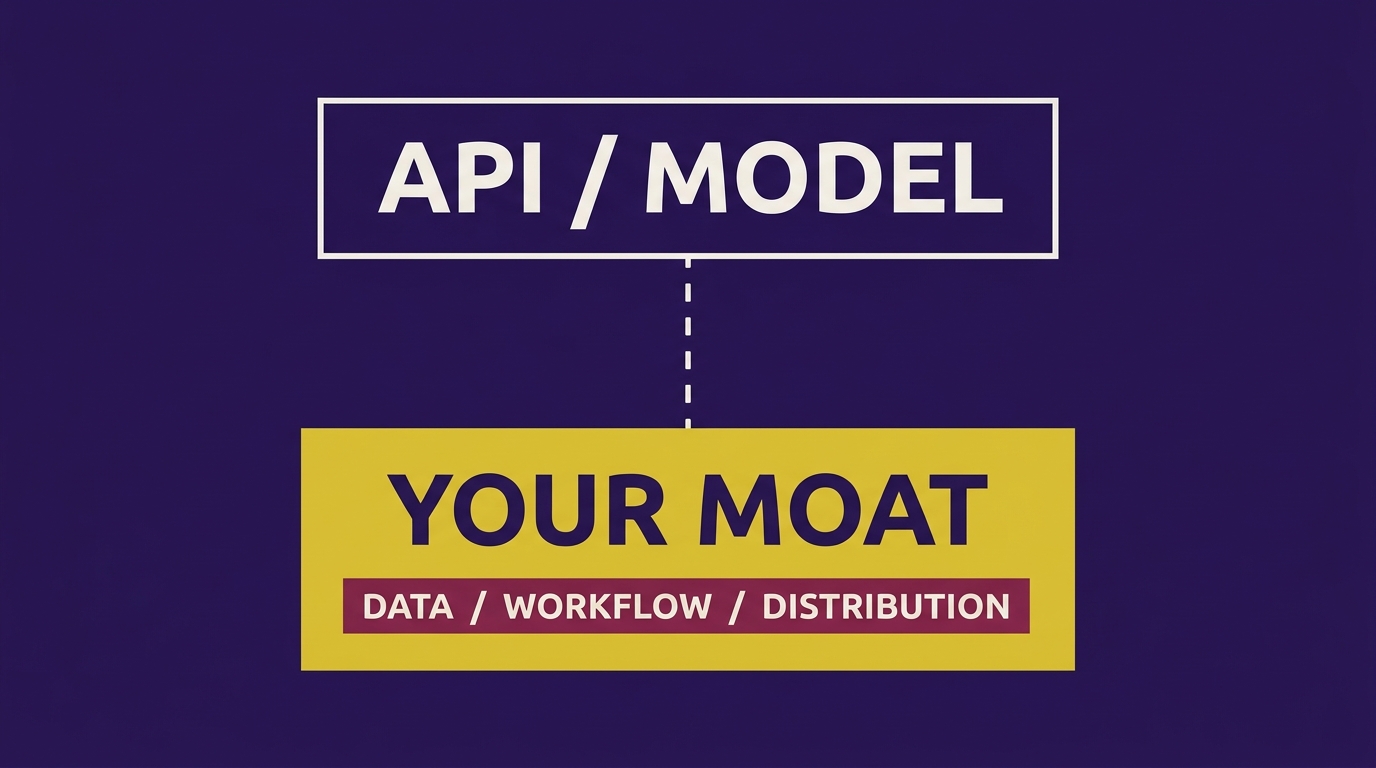
    Code was never the moat. If you want to understand why the tool itself rarely protects you, read The Wrapper Moat: What Actually Makes Your AI Tool Defensible. The short version: distribution is the moat. Everything else is a feature.

    Build the Audience Alongside the Tool, Not After It

    Here’s the actual system, not the vague advice.

    1. Post before you have anything to show

    Start talking about the problem you’re solving in public at least [X weeks] before you write the first line of code. Not the solution — the problem. Post about the pain point, the workaround people currently use, the janky spreadsheet or Zapier chain someone showed you. This does two things: it tells you if anyone actually cares, and it starts building the list of people who’ll be first in line when you ship.

    2. Ship ugly, on a schedule people can see

    Build in public means actual public — screenshots of broken states, the day the automation failed silently, the pivot. We wrote about what happens when you skip this and let the backend quietly rot in The Green Checkmark That Lied. People don’t trust polish from a stranger. They trust process from someone they’ve been watching for [number] weeks.

    3. Get a waitlist before a landing page

    A landing page you’re proud of with 40 signups means you built the page before you built the list. Reverse it. DM [number] people in your niche directly and ask if they’d want early access. A cold DM to someone who already has the problem converts better than any amount of SEO copy on a page nobody’s found yet.

    4. Post where your buyers already hang out, not where you feel comfortable

    If your buyer is on LinkedIn, your content needs to be built for how LinkedIn’s algorithm actually distributes reach, not how you think it should. We broke down what actually moves the needle in The LinkedIn Algorithm Audit — worth reading before you post your next update, because most builders are optimizing for the wrong signal entirely.

    5. Your personal brand out-distributes your company brand — use that on purpose

    This is the part nobody wants to hear: your personal posts will almost always out-reach your product’s posts, often by [multiple]x. People follow people, not logos, especially pre-launch when there’s no social proof yet. That means the founder’s face and voice is the actual distribution channel for the first [number] users, not the company page. Treat your own content like the top of the funnel, because it is.

    The Full System, in Order

    Before you build: post about the problem publicly, DM your first 10 prospects, start a waitlist. While you build: post the ugly middle, share the breakdowns not just the wins. Before you launch: have a list warm enough that day one isn’t a cold start. If you want the fuller version of this sequence — what to post in what order, and when to actually start building the product itself — read Distribution-First Build: Get Users Before You Code.

    What This Actually Fixes

    It doesn’t fix your product. Your product might genuinely be mediocre and that’s a separate problem. What it fixes is the graveyard problem specifically — the one where a decent tool dies with 40 users because nobody outside your own head knew it existed. The tools that survive aren’t the smartest ones. They’re the ones somebody already knew enough to try, because you’d been talking about the problem for weeks before you ever asked them to click a link.

    Flip the ratio. Spend real time — not an afterthought, not a launch-day tweet — on telling people the thing exists, starting before it’s built. The code can wait. The audience can’t.

  • Distribution-First Build: Get Users Before You Code

    Distribution-First Build: Get Users Before You Code

    The Tool Worked. Nobody Cared.

    No bugs. Clean UI. Did exactly what it promised. Three weeks, zero signups. The instinct in that moment is always the same: add a feature. Fix the onboarding. Rewrite the landing page copy. None of that was the problem.

    The problem was that the tool had no audience waiting for it. It was built in a vacuum, then launched into silence, and silence got misread as a verdict on the product when it was really a verdict on the sequence. Build first, distribute second, is the default move for anyone who came up as a developer or operator. It’s also backwards.

    Distribution First, Build Second

    The fix isn’t a growth hack. It’s a sequencing change: find the audience that already exists, prove they want the thing, and only then finish building it. This is not a new idea — Paul Graham has been telling founders to do things that don’t scale for two decades, and Andrew Chen’s entire framework for early-stage products is built around solving the cold start before the product is even done. The version below is the tactical checklist for doing it with an AI tool specifically.

    Step 1: Find where the complaint already exists

    Before you touch code, go find the threads where people are already venting about the exact problem your tool solves. Reddit search, X/Twitter advanced search, niche Slack and Discord communities, LinkedIn comment sections under posts in your category. You’re not looking for people who might want your tool — you’re looking for people who are already typing out their frustration, unprompted, for free. That’s a validated problem statement sitting in public.

    Step 2: Reply with the insight, not the pitch

    Don’t drop a link. Don’t mention your tool. Answer the actual question or give the actual fix in the reply, the same way you’d answer a friend. This does two things: it builds a track record of you being useful in that specific problem space, and it gets you remembered without you asking for anything. If your reply is genuinely good, people will ask what you’re working on — that’s your opening, not your headline.

    Step 3: Collect the DMs before the feature is done

    When someone asks, tell them the truth: you’re building something for exactly this, it’s not done, and you’d like to send them early access. Get the DM, the email, whatever. You’re not selling a finished product — you’re building a list of people who raised their hand for a specific pain point, which is worth more than a thousand cold landing-page visitors.

    Step 4: Let the waitlist prove demand

    Set a real number before you build another feature. If you can’t get [X] people on a waitlist from genuine problem-thread engagement in [X] weeks, the issue isn’t your onboarding flow — it’s that the audience doesn’t exist where you’re looking, or the problem isn’t painful enough to act on. That’s information a working prototype can never give you, because a working prototype answers “can this be built,” not “does anyone want it.”

    The 4 Rules After 51 Posts, 56,487 Reached

    The pattern that separates posts that get replies from posts that get scrolled past is almost always the same four things, and it took a run of 20 posts reaching 22,122 people with zero comments to see it clearly:

    • Specificity over scope. “I built an AI tool for founders” gets ignored. “I built a tool that turns a 40-minute sales call transcript into a follow-up email in 90 seconds” gets a reply.
    • The hook is the problem, not the product. Open with the pain the reader already has, not the feature you shipped. The product shows up as the resolution, not the headline.
    • One insight, not a feature list. A post that teaches one real thing outperforms a post that lists everything the tool does. Save the feature list for the DM.
    • Reply before you post. The posts that reached the most people were preceded by weeks of replying in other people’s comment sections, not by posting cold into a feed with no existing relationships.

    None of this replaces a good product. It replaces the assumption that a good product markets itself. If you’re also worried the tool itself won’t hold up once people show up, that’s a separate and legitimate concern — worth reading alongside this is what actually makes an AI tool defensible once the audience is real.

    Build Second, On Purpose

    Once the waitlist proves the demand, the build phase changes completely. You’re no longer guessing at features — you’re building exactly what the DMs told you they needed, for people who already said yes before you asked. The pitch also gets easier, because you stop trying to explain the automation and start describing the outcome those people already told you they wanted; that shift is covered in detail in sell the outcome, not the automation.

    And if you’re tempted to treat the AI model itself as the moat instead of the audience and distribution you built to reach it, it’s worth reading why that’s a fragile bet in your AI startup is a tenant, not a company. The model can be replicated by anyone with an API key. The list of people who already told you they have this problem cannot.

    The last thing you built that nobody used probably didn’t fail because it wasn’t good enough. It failed because it was finished before anyone was waiting for it. Flip the order next time.

  • Your AI Startup Is a Tenant, Not a Company: The Fix

    Your AI Startup Is a Tenant, Not a Company: The Fix

    Every founder building on top of GPT-4o, Claude, or Gemini has the same landlord. You don’t own the building. You’re renting a unit inside OpenAI’s, Anthropic’s, or Google’s platform, and you pay rent every single API call.

    Landlords redecorate. In this case, that means shipping the exact feature you built as a native product update. It’s happened enough times now that it’s not a risk, it’s a pattern: memory features, document editing, image generation, structured outputs, agents that browse and execute. If your entire product was a thin layer calling one of these capabilities, the platform didn’t compete with you. It just turned your app into a free tab inside theirs.

    The Eviction Pattern, Step by Step

    It goes the same way almost every time:

    • A founder finds a real gap. The base model can do X, but nobody’s packaged it well.
    • They build a clean wrapper: nice UI, a prompt chain, maybe a Zapier or n8n workflow stitching a few API calls together.
    • They get traction. A few thousand users, maybe a few hundred paying.
    • The platform ships the same capability natively, often better, often free, because it’s a rounding error for them and a business model for you.
    • The wrapper’s core reason to exist disappears in a single changelog entry.

    This isn’t a hypothetical. Read OpenAI’s own API documentation and changelog for six months and you’ll watch entire categories of startup get absorbed in real time. The model providers aren’t being malicious. They’re doing what any platform does: moving up the stack to capture more of the value chain. You have to assume that anything easily replicable inside their product will eventually be replicated.

    The Model Is Commodity. Stop Selling the API Call.

    The fix isn’t a better prompt. It’s building the parts of your product that don’t live inside anyone’s API response. There are four layers that actually survive a platform update, and almost nobody building a wrapper has more than one of them.

    1. The Workflow Nobody Else Has

    A raw API call is a single step. A moat is the ten steps around it: the intake process, the validation, the routing logic, the exception handling. If your product is “call the model, show the output,” you have zero workflow moat. If your product is “gather data from six sources, clean it, run it through three checks, escalate the edge cases to a human, then call the model,” the model is now 10% of your value. That’s the difference between a prompt and a system, and it’s exactly why silent failures in that system are so expensive — one broken step and the whole workflow looks fine on the surface while quietly producing garbage. We wrote a full breakdown of catching that kind of failure in The Green Checkmark That Lied, and it applies directly here: the more workflow you own, the more monitoring you need, but it’s also the part a foundation model can’t ship for you.

    2. The Data That Compounds

    Every user interaction should make your product smarter for the next user, in a way that’s specific to your customer base, not general to the internet. A generic wrapper resets to zero every session. A defensible product accumulates: past corrections, industry-specific terminology, historical outcomes, feedback loops. That compounding dataset is yours. OpenAI or Anthropic can ship a smarter base model, but they can’t ship your customers’ three years of correction history.

    3. The Distribution That’s Actually Yours

    If every user of your product found you through a platform’s app store, marketplace, or plugin directory, you don’t have distribution — you’re subletting it. Owned distribution looks like an audience that comes back to you directly: an email list, a community, a personal brand people trust enough to follow you to the next tool. This is also why founder-led content matters more than most technical founders want to admit. We broke down what actually drives reach for that kind of content in The LinkedIn Algorithm Audit — the short version is that personal, specific posts about what you’re building outperform generic business content by a wide margin, and that audience becomes distribution no API update can touch.

    4. The Trust and Relationship Layer

    People don’t switch products that solve a problem they already trust you to solve, even when a free alternative shows up. This is why you sell the outcome your customer gets, not the mechanism behind it — a point we go deeper on in Sell the Outcome, Not the Automation. If your pitch is “we use AI to do X,” a platform update kills your pitch. If your pitch is “we get you X result, reliably, with your data and your workflow baked in,” the pitch survives regardless of which model you’re calling under the hood.

    Run This Audit on Your Own Stack

    Before you write another line of prompt engineering, answer these four questions honestly:

    • Workflow: If I stripped out the API call, is there still a multi-step system left, or just a UI?
    • Data: Does day 100 of usage make my product meaningfully better than day 1, in a way specific to my users?
    • Distribution: Could I lose access to every app store, marketplace, and plugin directory tomorrow and still reach my next 100 customers?
    • Trust: If a free native feature launched tomorrow doing roughly what I do, would my current customers still stay?

    If you answered “no” to two or more of those, you don’t have a company yet. You have a very well-designed API call, and the landlord’s next changelog is the only thing standing between you and zero. Anthropic and OpenAI both publish their model and product roadmaps in enough detail — check Anthropic’s documentation — that you can usually see the eviction coming if you’re paying attention. The founders who survive aren’t the ones who found a clever prompt first. They’re the ones who built something underneath the prompt that the platform has no incentive, and no ability, to replicate.

  • The Green Checkmark That Lied: Fix Silent AI Failures

    The Green Checkmark That Lied: Fix Silent AI Failures

    n8n’s checkmark turns green when the workflow finishes running. That’s it. That’s all it’s checking. It has no idea whether the AI step three nodes back invented a phone number, summarized a report with numbers that don’t exist, or replied to a lead with information from a completely different client’s data.

    Nothing crashed. Nothing logged. Nothing told anyone. The workflow completed successfully — with garbage inside it.

    Your client finds out when a lead never gets a reply, or a report goes out with a revenue number nobody can trace back to reality. That’s not a bug you missed. That’s a system you never built.

    Why AI Steps Don’t Throw Errors

    A traditional automation fails when an API call times out, a field is null, or a request gets rejected. Those are hard failures — n8n catches them and your Error Trigger fires. An LLM node almost never does this. It returns 200. It returns a full, confident, well-formatted response. The response is just wrong.

    Hallucination isn’t a crash. It’s a successful API call with fabricated content. Your workflow has no native way to tell the difference between “the AI got it right” and “the AI got it right structurally, wrong factually.” You have to build that difference in yourself.

    The Fix: Three Layers, Not One

    Layer 1: Error Handling on Every AI Step

    Every single node that calls an LLM needs a validation step immediately after it — not just the workflow-level Error Trigger, which only catches hard failures. Add an IF or Code node right after each AI call that checks the output against what you actually expect:

    • Does the JSON match the schema you asked for? (missing fields, wrong types, extra hallucinated keys)
    • Do referenced values actually exist in the source data — does the email/phone/name the AI “extracted” match a record in your CRM or sheet?
    • Do numbers add up? If the AI is summarizing totals, recalculate the sum yourself in a Code node and compare.

    If the check fails, route to a separate branch — don’t let it flow downstream. n8n’s own documentation on error handling and workflow-level error triggers is a good starting point, but note it’s built for exceptions, not for silently-wrong-but-valid output — which is why you need the manual validation layer on top. If you haven’t built this base layer yet, walk through the full node-by-node setup in this error handler build.

    Layer 2: A Logging Node Someone Actually Checks

    Logging that nobody reads is decoration. Every AI call — input, output, timestamp, node name, pass/fail from your Layer 1 check — should write to a table you or your team actually open. Airtable, Google Sheets, or Postgres all work. What matters is the habit, not the tool.

    Set a recurring [X-minute] check or, better, have failures push directly to a Slack channel with the actual payload attached, not just “workflow failed.” You want to see the exact hallucinated output, not a generic alert. This is also where cost anomalies show up early — if you’re not already watching spend per run, pair this with cost caps on runaway loops so a bad AI step doesn’t also become an expensive one.

    Layer 3: A Human Checkpoint Before Anything Reaches a Client

    For anything client-facing — a report, a lead reply, an outbound message — add a pause. n8n’s Wait node combined with a webhook resume (or a Slack “Approve/Reject” button via the Slack node’s interactive message) lets a human glance at the output before it ships. This isn’t about reviewing everything forever. It’s about reviewing everything until you’ve logged enough passes to trust the specific node type, then sampling from there.

    What This Actually Catches

    The specific failure modes worth building checks for: fabricated contact details, invented statistics in reports, mismatched entity names (AI merges two leads into one), and confident summaries of data that was empty or malformed going in. None of these throw a workflow error. All of them will end up in a client’s inbox if you don’t build the check.

    This is the same blind spot that shows up in content, not just automation. A post can look fine on the surface — reach numbers, impressions — while the actual engagement underneath tells a completely different story. The reach isn’t revenue breakdown covers the same principle from the content side: the surface-level metric that looks like success and the reality underneath rarely match unless you actually check.

    Assume It Will Lie

    I build every automation now assuming the AI will hallucinate eventually — not if, when. That assumption changes how you build. You stop trusting the green checkmark and start building systems that fail loud: validated at the node level, logged somewhere you check, and gated by a human before it touches a client. It’s more setup time upfront. It’s a fraction of the cost of a client finding the lie before you do — which is also why how you frame this work matters when you’re pitching it; see selling the outcome, not the automation for how to talk about reliability without sounding like you’re selling insurance.

  • The Loop That Ate The Budget: n8n Cost Caps That Work

    The Loop That Ate The Budget: n8n Cost Caps That Work

    An AI agent looped for six hours straight. No errors. No alerts. Just the same API call, over and over, until the sun came up and most of a month’s margin on a fixed-fee project was gone. Nobody got paged because, technically, nothing broke. The workflow just kept doing exactly what it was built to do — forever.

    This is the failure mode nobody warns you about when you start shipping n8n and AI agent workflows for clients. It’s not a crash. It’s not a red X in the execution log. It’s a workflow that looks perfectly healthy while quietly draining a bank account.

    Why It Passed Testing But Failed in Production

    Testing environments lie to you in a specific way: low volume, clean data, and a human watching. A recursive sub-workflow call, a retry loop on a flaky API, or a webhook that re-triggers itself under certain conditions will run fine five times in a row during QA. At scale, in production, with real (messy) input data at 2am, that same loop can fire thousands of times before anyone notices — because nothing in the workflow was ever told to stop.

    The root issue is almost always the same: the workflow has logic for what to do when a step succeeds or fails, but no logic for how many times it’s allowed to succeed or fail before someone gets told. That gap is where the budget disappears.

    The Fix: Three Layers, Not One

    A single safeguard isn’t enough. You need a cost cap, an outside observer, and an alert — each catching what the others miss.

    1. A Hard Cost Cap on the Workflow, Not the Account

    Most builders think an account-level spend limit (like the usage limits inside your OpenAI or Anthropic dashboard) is protection. It isn’t — it’s a circuit breaker for your whole business, not for one client’s project. If you’re running five clients on one API key, a runaway loop on Client A’s workflow can trip the account cap and take down Client B and C with it.

    Instead, set the cap at the workflow level. In practice: track a running cost counter inside the workflow itself (a simple value stored in an n8n n8n data store, Redis, or even a Google Sheet row updated per execution) and add a conditional check before every paid API call — if projected spend for this run exceeds $[X], the workflow stops and routes to an error branch instead of calling the API again. This is a few extra nodes. It is not optional.

    2. A Separate Error-Logging Sub-Workflow That Watches From Outside

    Here’s the part most builders get wrong: they put error handling inside the same workflow that’s failing. If the main workflow is stuck in a loop, its own error-catch logic is stuck in the loop too — it never gets a chance to fire.

    The fix is a second, independent sub-workflow whose only job is to watch execution logs, counts, and durations from outside the main flow. It checks things like: has this workflow run more than [N] times in the last hour? Has a single execution been running longer than [X] minutes? If yes, it kills the main workflow via the n8n API and logs the incident — regardless of what the main workflow thinks is happening internally. We’ve written the full build for this exact pattern in n8n Failed Silently? Build This Error Handler Today — it’s the backbone of this whole system.

    3. An Alert That Fires the Second Spend Crosses a Line

    The cost cap stops the bleeding. The watcher sub-workflow catches what the cap misses. But you still need to know it happened before the client sees an invoice. Wire a Slack, SMS, or email alert node directly into the watcher sub-workflow, triggered the moment cumulative spend crosses a threshold you set per client — not per month, per run. The goal is a notification within minutes, not a surprise at billing time.

    Why This Is the Real Difference in This Business

    A workflow that runs clean in a demo is a hobby project. A workflow that can’t silently bankrupt a fixed-fee engagement is a product. Clients aren’t paying you for clever automation — they’re paying you to hand over something reliable enough that they stop thinking about it. That’s the entire pitch, and it’s worth reading alongside Sell the Outcome, Not the Automation: The Pitch Fix if you’re still pricing these builds like custom scripts instead of systems.

    It also matters for how defensible your tooling actually is. Anyone can wire up an API call in n8n. What’s harder to copy — and what actually protects your margins and your reputation — is the operational layer around it. That’s the real moat, and it’s the same idea we dug into in The Wrapper Moat: What Actually Makes Your AI Tool Defensible.

    Build It Before You Need It

    You don’t add these three layers after a runaway loop costs you a client. You add them before you ship anything live, on every single workflow, no exceptions — even the ones that feel too simple to break. The cost of the extra nodes is a couple hours. The cost of skipping them is a night like the one that opened this article, plus a client who no longer trusts you with anything automated again.

  • The Wrapper Moat: What Actually Makes Your AI Tool Defensible

    The Wrapper Moat: What Actually Makes Your AI Tool Defensible

    You didn’t build a business. You built a UI on top of someone else’s model, and you’ve been calling it a product for a year.

    That’s not an insult. It’s the default outcome of shipping fast on GPT-4o or Claude. The API does the hard part, you wrap a prompt, a dashboard, and a Stripe checkout around it, and you call it done. The problem shows up later, when Anthropic ships your exact feature for free inside their consumer app, or OpenAI changes pricing tiers and your unit economics stop working in an afternoon.

    If a client could rebuild your tool in a weekend with a ChatGPT subscription and a Sunday afternoon, you don’t have a moat. You have a demo with a monthly invoice attached.

    Why “the model” was never your moat

    The model is infrastructure. It’s rented, and rented things get repriced, deprecated, or commoditized on someone else’s schedule, not yours. OpenAI’s own pricing page has changed multiple times in the last two years, and every time it does, every thin wrapper built on top of it has to renegotiate its own survival. You don’t control that timeline. You can’t build a business on a foundation someone else can move without asking you.

    So the fix isn’t a better prompt or a nicer frontend. It’s figuring out what layer of your stack the model can’t touch, and building your actual business there.

    The four things you can actually own

    1. The data the model touches

    Every time your tool runs, it should get smarter about that specific client, not just smarter in general. That means you’re storing structured history — past outputs, corrections, preferences, outcomes — somewhere the model never sees directly. A Postgres table, an Airtable base, a Supabase instance. Six months of accumulated context on a client is something a competitor can’t replicate by signing up for the same API key. That’s your first real moat: proprietary data compounding over time.

    2. The workflow that gets people to the output

    This is the piece most builders skip because it’s less glamorous than the AI part. The model generates a paragraph. Your business is everything that happens before and after that paragraph — the intake form, the approval step, the routing logic, the notification that fires when something needs a human. That’s orchestration, and it’s usually built in something like n8n, Make, or Zapier sitting around the API call, not the API call itself.

    If that orchestration layer breaks silently, you lose the moat and the client’s trust in the same afternoon. Worth reading how that failure mode actually plays out and how to catch it before a client does, in this breakdown on n8n’s silent failures.

    3. The distribution that gets the tool in front of people

    A model can be copied. An audience that trusts you and finds you first cannot. If your only distribution channel is a listing on someone else’s marketplace or a cold outbound list you rent, you have the same rental problem one layer up. Owned distribution — your email list, your following, your inbound from content you’ve published — is a moat because a competitor with the same API access still has to start from zero on trust.

    4. The relationship, not the tool

    This is the one that actually changes how you sell. Clients don’t pay for automation, they pay for the outcome the automation produces. If your pitch is “I built you a GPT wrapper,” you’re one comparison shop away from losing the deal to whoever quotes a cheaper wrapper. If your pitch is the specific business result — hours saved, leads converted, revenue recovered — the model becomes invisible and the relationship becomes the product. This is exactly the pitch shift covered in Sell the Outcome, Not the Automation.

    The audit: run this on your own stack today

    • Data test: If I deleted my database and kept only my API key, would tomorrow’s output be worse than today’s? If no, you have no data moat.
    • Rebuild test: Could a competent freelancer, given the same API access, rebuild this in under two weeks? If yes, your workflow isn’t complex enough to be a moat.
    • Distribution test: If your top client churned tomorrow, do you have a pipeline that replaces them without cold outreach from scratch? If no, you’re renting your customers too.
    • Pricing test: If OpenAI or Anthropic cut their API price by 80% tomorrow (they’ve done bigger cuts before), does your value prop still hold, or was the wrapper itself the entire pitch?

    If you fail two or more of these, you don’t have a business yet. You have a proof of concept with a payment processor attached — worth fixing before you scale it, not after.

    What to build instead, starting this week

    Pick one moat and go deep before you touch anything else. If you have zero data infrastructure, spend this week wiring a Supabase or Airtable layer that logs every interaction your AI tool has with a client, even if you don’t yet know what you’ll do with it. If your workflow is a single Zapier trigger, spend the week mapping the full client journey and finding the two or three steps that actually require judgment — those are the ones worth automating with real branching logic, not the whole thing end to end.

    None of this is about the model getting better or worse. It’s about making sure that when it does change — and it will — your business is still standing on something you own. For a deeper teardown of what real defensibility looks like across different AI product types, see the full AI Wrapper Moat Teardown.

    The model is rented. Everything you build around it doesn’t have to be.

  • n8n Failed Silently? Build This Error Handler Today

    n8n Failed Silently? Build This Error Handler Today

    The failure that actually costs you the client

    A lead comes in. The workflow chokes on one weird email format — maybe a missing field, maybe a comma where n8n expected a semicolon. The run stops. Nobody gets an alert. The client opens their CRM, sees nothing new, assumes it’s just a slow day. Five days later the prospect emails them directly asking why nobody followed up.

    Nothing crashed loud. The workflow just quietly stopped doing its job. That’s the part that kills trust — not the bug itself, but the gap between when it broke and when someone found out.

    If you’re running automations in production for clients, a green checkmark on a workflow doesn’t mean it worked. It means the workflow executed. Whether it actually did the thing you promised is a separate question, and if you’re not answering that question automatically, you’re finding out the same way your client did: too late.

    Why “it works in testing” isn’t good enough

    Every workflow you build gets tested against clean data. Production data is not clean. Real leads send emails with weird encodings, forms get submitted with blank required fields, APIs rate-limit you at 2am, a third-party tool changes its response format without telling anyone. None of that shows up until it’s live and running unattended.

    The fix isn’t “build a more bulletproof workflow.” You’ll never anticipate every edge case. The fix is building a system that tells you the second something breaks, so you fix it in minutes instead of finding out in days from an angry client.

    The actual build (10 minutes, no exaggeration)

    Here’s the exact structure to set up in n8n:

    1. Build one dedicated error-handler workflow

    Create a single workflow whose only job is catching failures. Start it with an Error Trigger node — n8n has this built for exactly this purpose. It fires whenever any workflow you attach it to throws an error, and it passes along the workflow name, the node that failed, and the error message. This is documented directly in n8n’s error handling docs if you want the full node reference.

    2. Send yourself a Slack ping with real detail

    Off the Error Trigger, add a Slack node (or email, or SMS via Twilio if you want it louder). Don’t just send “a workflow failed.” Include the workflow name, the node it died on, the error message, and a link to the execution. You want to open the alert and know exactly where to look, not go hunting.

    3. Log every failure to a sheet

    Add a second branch that writes the same details to a Google Sheet or Airtable — timestamp, workflow, node, error text. This isn’t for the alert, it’s for the pattern. After a month you’ll see which workflows fail most and why, which tells you where to actually invest in fixing root causes instead of just reacting.

    4. Attach it to every production workflow

    This is the step people skip. Building the error handler does nothing until you go into every client-facing workflow’s Settings and set this new workflow as its Error Workflow. One error handler, attached to every automation you run. Ten workflows, one alert system.

    5. Force it to fail on purpose

    Before you trust it, break it. Feed a workflow bad data, disconnect an API key, whatever it takes to trigger a real error. If the Slack message doesn’t show up, the error workflow isn’t attached correctly — go check step 4 again. Never assume it works; confirm it.

    I went deeper on the specific node wiring and the exact settings toggle in this breakdown of n8n’s global error workflow if you want screenshots instead of just the steps.

    What this actually buys you

    Ten minutes of setup turns a silent liability into a monitored tool. That’s not a technicality — it’s the difference between a client trusting the system and a client checking your work manually every week, which defeats the entire point of automating anything for them.

    It also changes what you can charge. A workflow with no failure visibility is a discount product because the client is quietly absorbing the risk. A workflow with a live error handler and a failed-run log is something you can point to in a sales conversation as reliability infrastructure, not just a script. That’s the same logic covered in how to price an AI agent without bleeding margin — clients pay for certainty, not just output.

    And when something does break — because it will — you have a very different conversation with the client. “We caught it in four minutes and already fixed it” is a trust-building moment. “You told me before I noticed” is the opposite of what happened with the CRM lead. If you want the language for that conversation, this piece on selling the outcome instead of the automation covers how to frame reliability as the actual product.

    The checklist

    • One dedicated error-handler workflow with an Error Trigger node
    • Slack (or SMS) alert with workflow name, failed node, error message, execution link
    • A logging step to a sheet for pattern-spotting over time
    • Every production workflow’s Settings pointed at the error workflow
    • A forced failure test before you trust it live

    None of this is complicated. It’s just the part that gets skipped when you’re racing to ship the workflow itself. Build the error handler before the client goes live, not after they find the gap for you.

  • Sell the Outcome, Not the Automation: The Pitch Fix

    Sell the Outcome, Not the Automation: The Pitch Fix

    The pitch that never gets a callback

    You walk in, open your laptop, and say something like: “We build automations with n8n and Claude that connect your CRM to your inbox.” The prospect nods. Says “interesting.” You never hear from them again.

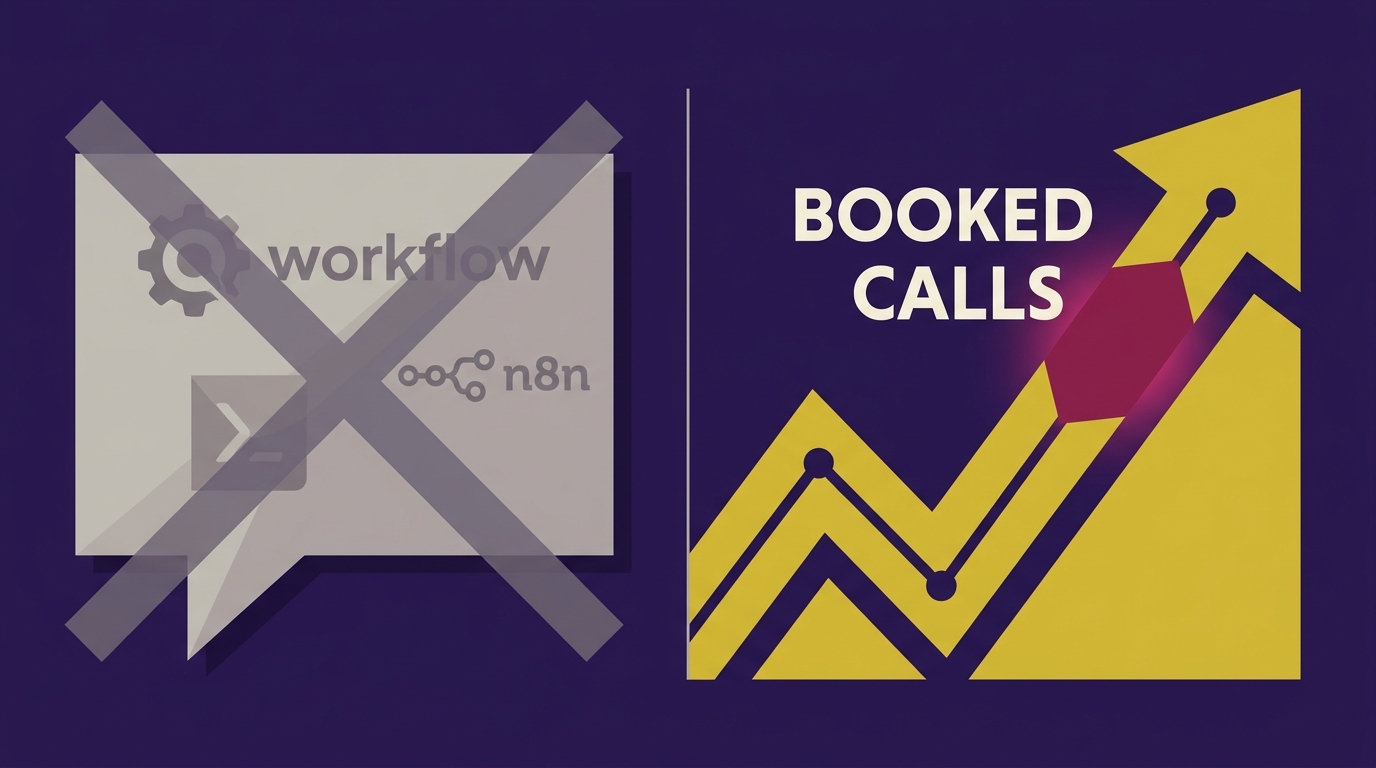
    This isn’t a tone problem. It’s a sequencing problem. You led with the mechanism when the prospect only cares about the result. Nobody wakes up wanting an automation. They wake up wanting more booked calls, fewer hours buried in invoices, and a lead that doesn’t slip through the cracks at 11pm on a Friday.

    Why the tool-first pitch fails every time

    When you open with n8n, Claude, or “workflow,” you’re asking a non-technical buyer to do two things at once: trust a tool they’ve never heard of, and imagine an outcome they can’t see yet. Most people can’t do both in the same breath. So they default to the safe response — “interesting, let me think about it” — which is a polite no.

    Compare that to opening with the result: “Right now, when a lead fills out your form at 9pm, nobody responds until 9am the next day. That’s a [X]% drop in show-up rate. Here’s what happens if that lead gets a text back in 90 seconds instead.” You haven’t said the word automation. You’ve shown them their own problem, quantified, with a visible fix. That’s the whole pitch.

    The exact shift: build the demo before you say the word

    The fix isn’t better slides. It’s sequencing the meeting so the tool never comes up until after they’ve already said “how do I get this.”

    • Step 1 — Pull their real data before the call. Their missed calls, their form fills, their invoice turnaround, their DM response time. Not a hypothetical. Their numbers.
    • Step 2 — Build a live demo on that data. Show the lead that fell through last Tuesday. Show what a 90-second auto-response would have done. Use their name, their business, their actual gap.
    • Step 3 — Show the outcome on screen first. The booked call. The invoice that got paid three days faster. The lead that didn’t ghost. Let them react to the result.
    • Step 4 — Only then, name the mechanism. “This runs on a workflow tool called n8n, connected to an AI model called Claude.” By now it’s a footnote, not the headline.

    The tool was never the offer. The result is. This is the same principle behind good copywriting and good ads — you sell the after-state, not the mechanism that gets you there. It’s why cold email that leads with the outcome outperforms cold email that leads with the offer almost every time — same psychology, different channel.

    What to actually say in the first 90 seconds

    Kill any sentence that starts with “we use” or “we build.” Replace it with a sentence that starts with “right now, you’re losing.” Some real openers that work:

    • “You’re currently responding to leads in [X] hours. Every hour past five minutes cuts your close rate roughly in half.”
    • “You’re spending [X] hours a week on invoicing that could be sitting in your inbox instead of on your calendar.”
    • “Last month you had [X] leads come in after hours. Here’s how many of those never got a reply.”

    Every one of those is a number, not a noun. Numbers create urgency. Nouns like “automation” and “AI” create curiosity at best and skepticism at worst — especially with buyers who’ve already been burned by a wrapper pitch. If you want to understand why so many of those pitches fall flat, read the AI wrapper moat teardown — most of what gets pitched as “AI automation” is a thin layer over someone else’s API, and prospects are starting to smell it.

    Where this shift changes your pricing conversation too

    Once you’re anchored on outcome, pricing gets easier, not harder. You’re not justifying an hourly rate for building a workflow. You’re pricing against a booked-call value, a time-saved value, a leads-recovered value. That’s a completely different negotiation, and it’s exactly why outcome-first pricing models tend to hold margin better than flat build fees — covered in more detail in how to price an AI agent without bleeding margin.

    The mistake most agencies still make

    Even after they hear this advice, most agency owners still slip the tool name into slide two out of habit. The fix is mechanical: write your pitch deck or talk track, then delete every instance of “n8n,” “Claude,” “AI,” and “automation” from the first three minutes. If the pitch still makes sense — if the prospect would still lean forward — you’ve built an outcome pitch. If it falls apart without the tool name, you were never selling the result. You were selling the plumbing.

    The mechanism is real, and it matters — n8n and Claude are genuinely good tools for this work. But they’re the how, not the why. Say the why first. Let the how earn its place in the room after the prospect has already decided they want the result.

  • Cold Email Isn’t Dead, Yours Is: The Real Fix

    Cold Email Isn’t Dead, Yours Is: The Real Fix

    Everyone declared cold email dead the same year their reply rate hit 1%. Convenient timing. Nobody looked at the actual emails going out — same subject line, same three sentences, same \”I noticed you’re the [Title] at [Company]\” opener that a script generated in four seconds. The channel didn’t break. The version of it that treats 500 strangers like one person did.

    I’ve watched founders kill their only lead source over this, then rebuild the exact same pipeline a few weeks later with the exact same tool, just aimed better. Same Instantly account. Same Apollo list source. Completely different outcome. The difference wasn’t the channel. It was three decisions made before a single email got sent.

    Why your reply rate actually cratered

    Cold email reply rates dropping industry-wide isn’t a mystery — deliverability got harder, inboxes got smarter, and prospects got faster at pattern-matching a mail-merge. Google and Yahoo’s 2024 bulk sender requirements alone forced a filtering shift that punishes generic, high-volume blasts specifically (Ahrefs has good data on how inbox algorithms weight relevance now). The tools didn’t get worse. The bar for “relevant enough to open” got higher, and most outbound never adjusted.

    So the founders blaming the channel are half right about the symptom and completely wrong about the cause. The fix isn’t a new platform. It’s three changes to how you use the one you already have.

    Fix 1: Segment the list until it hurts

    Most lists are built by firmographic filter — industry, company size, title — and stop there. That’s not a segment, that’s a category. A real segment is small enough that you could write one sentence true of everyone in it and false of everyone outside it.

    • Instead of “marketing agencies, 10-50 employees,” try “agencies that just posted a job for a paid media buyer in the last 30 days” — pulled via a scraper into Clay or a simple n8n workflow watching job boards.
    • Instead of “SaaS founders,” try “SaaS founders who churned a competitor’s tool according to a G2 review posted this month.”
    • If your list has more than 200 people and no shared, specific, recent trigger event, it’s not a list. It’s a spray.

    Smaller lists feel worse on a dashboard. They convert better in an inbox, because everyone on it actually fits the pitch.

    Fix 2: One line that proves you looked

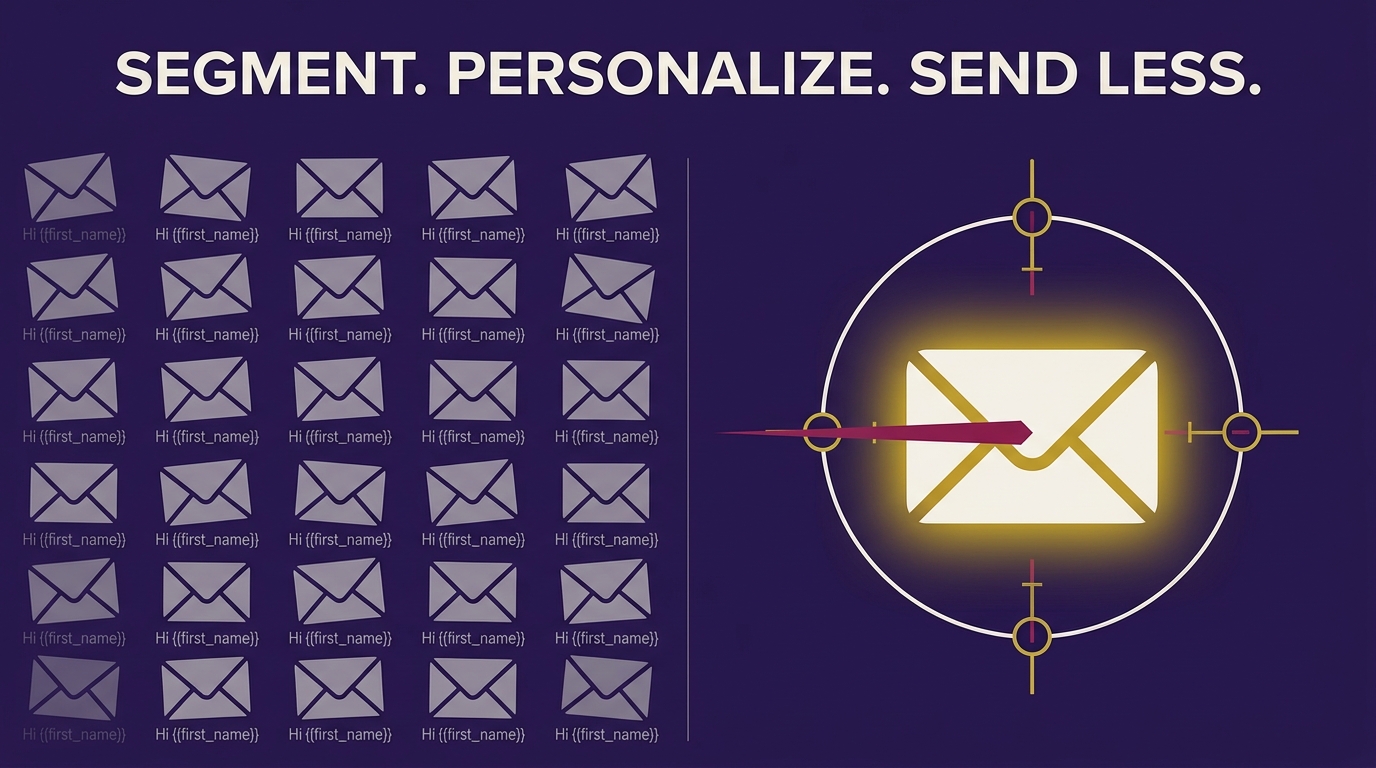
    Personalization tokens aren’t personalization. Swapping {{first_name}} into a template a prospect has seen from four other vendors this month reads as exactly what it is. The fix is one sentence, written by a human or a well-prompted model, that references something true and specific: a recent post, a job listing, a product change, a review they left somewhere public.

    This is where a lot of founders lean on AI and immediately sound like every other founder leaning on AI — same rhythm, same “I noticed that…” opener, same em-dash cadence. If your personalized line reads like it came out of the same model everyone else is using, it defeats the point. Worth fixing that before you scale the send — I wrote a full breakdown on how to stop your AI-written copy from sounding like ChatGPT, and the same fixes apply directly to cold email lines.

    Fix 3: Send fewer emails to fewer, better people

    Volume is the easiest lever to pull and the worst one for reply rate. Sending 2,000 emails a week to a loosely-defined list feels productive. Sending 150 emails a week to a list you built from a real trigger event, with a line that proves you read something specific, will out-reply it every time — because the math isn’t emails-sent-over-replies, it’s fit-over-noise.

    Cut volume by 70% before you touch copy. Most founders do the reverse — they rewrite the template and keep blasting the same 2,000-person list, then wonder why nothing moved. The list is upstream of the copy. Fix it first.

    The actual system, tool by tool

    • Sourcing: Apollo or Clay for the base list, filtered down to a trigger-event segment, not a static firmographic one.
    • Enrichment: Clay tables pulling recent posts, job changes, or review mentions per contact — this is the raw material for the one-line personalization.
    • Personalization draft: Claude or GPT generating a first-draft line per contact from the enriched data, then a human pass to strip the AI cadence out.
    • Sending: Instantly or Smartlead, capped low, warmed properly, one segment at a time instead of one giant blast.
    • Orchestration: n8n tying sourcing, enrichment, and sending together so the pipeline runs without you babysitting it daily — just make sure your error handling actually catches failures instead of silently passing them, which is a more common failure point than people expect.

    If you’re automating this pipeline in n8n, it’s worth checking your workflow doesn’t have the exact failure mode I wrote about in the green checkmark lie — a workflow that reports success while quietly skipping the enrichment step is worse than no automation at all, because you won’t know your personalization line never got written.

    What this actually buys you

    A smaller, sharper outbound motion isn’t just better reply rates — it’s the difference between cold email being your only lead source and it being one channel among several that all reinforce each other. If you want to stop depending on volume entirely and build a pipeline where inbound demand does the qualifying for you before the email ever goes out, that’s a deeper shift worth reading — I covered the full model in Inbound-Led Outbound: Kill Cold Email in 2026.

    The channel isn’t dead. The mass-blast version of it just finally stopped working, which was overdue. Segment until it hurts, prove you looked, send less. The reply rate follows.